eco Beginner Tutorial/How-to

eBPF and Falco for Linux

calendar_month May 03, 2026 schedule 47 min read visibility 582 views
eBPF и Falco для безопасности Linux на VPS и выделенных серверах: Обнаружение угроз в реальном времени
info

Need a server for this guide? We offer dedicated servers and VPS in 50+ countries with instant setup.

Need a server for this guide?

Deploy a VPS or dedicated server in minutes.

eBPF and Falco for Linux Security on VPS and Dedicated Servers: Real-time Threat Detection

TL;DR

  • eBPF is a revolution: It allows safe and efficient execution of user-defined code in the Linux kernel, providing unprecedented visibility into system events without the overhead of traditional kernel modules.
  • Falco — your watchdog: An open-source threat detection tool that uses eBPF to monitor system calls and other kernel events, identifying suspicious activities in real time.
  • A necessity in 2026: With the increasing complexity of threats and the widespread adoption of cloud infrastructures, traditional security measures are insufficient. eBPF+Falco provide deep, contextual analysis of server activity.
  • Real-time and context: Falco doesn't just log events; it applies rules based on behavioral patterns, allowing for immediate reaction to anomalies such as critical file changes or the launch of unauthorized processes.
  • Flexibility and scalability: Easily configurable to the specific needs of your infrastructure, whether it's a single VPS or a cluster of hundreds of dedicated servers, with minimal impact on performance.
  • Cost-effectiveness: Being Open Source, Falco significantly reduces licensing costs compared to commercial EDR/XDR solutions, shifting the focus to operational expenses and expertise.
  • Practical applicability: The article provides step-by-step instructions, configuration examples, use cases, and recommendations for successful implementation and operation of Falco based on eBPF.

3. Introduction

Diagram: 3. Introduction

In the rapidly evolving world of information technology, where cyber threats are becoming increasingly sophisticated and infrastructures more distributed, traditional approaches to security are rapidly becoming obsolete. The year 2026 dictates new rules of the game: it's no longer enough to simply block known malware or monitor the perimeter. Deep, context-dependent visibility into what is happening inside your servers, down to the level of kernel system calls, is necessary.

This is where eBPF (extended Berkeley Packet Filter) and Falco come into play. These two technologies, working in tandem, represent a powerful tool for real-time threat detection, capable of protecting your Linux systems — whether a single VPS or an entire farm of dedicated servers — from a wide range of attacks, including zero-day exploits, advanced persistent threats (APTs), and insider attacks.

Why is this topic particularly important now, in 2026? Firstly, the threat landscape is constantly evolving. Automated attacks using polymorphic code and techniques to bypass traditional security measures are becoming the norm. Secondly, the shift to microservice architecture and containerization, which has become the de facto standard, requires new security approaches where each container or service can be an entry point. Thirdly, regulatory requirements are tightening, obliging companies to have reliable incident detection and response mechanisms.

This article aims to address several key problems faced by DevOps engineers, backend developers, system administrators, and startup CTOs:

  • Insufficient visibility: How to get a complete picture of what's happening on the server without overloading it?
  • Delayed response: How to detect threats not post-factum, but at the moment they arise?
  • Complexity of implementation: How to integrate powerful security tools without lengthy setup and high cost?
  • High overhead: How to ensure deep monitoring with minimal impact on performance?

We will delve into what eBPF is and how Falco leverages its potential for security. You will learn about the practical aspects of installation, configuration, and creating your own rules, as well as gain valuable advice based on real-world experience. This article is written for those who seek not just theoretical knowledge, but concrete, applicable solutions for protecting their Linux systems from modern threats.

4. Key Criteria and Factors for Choosing a Security System
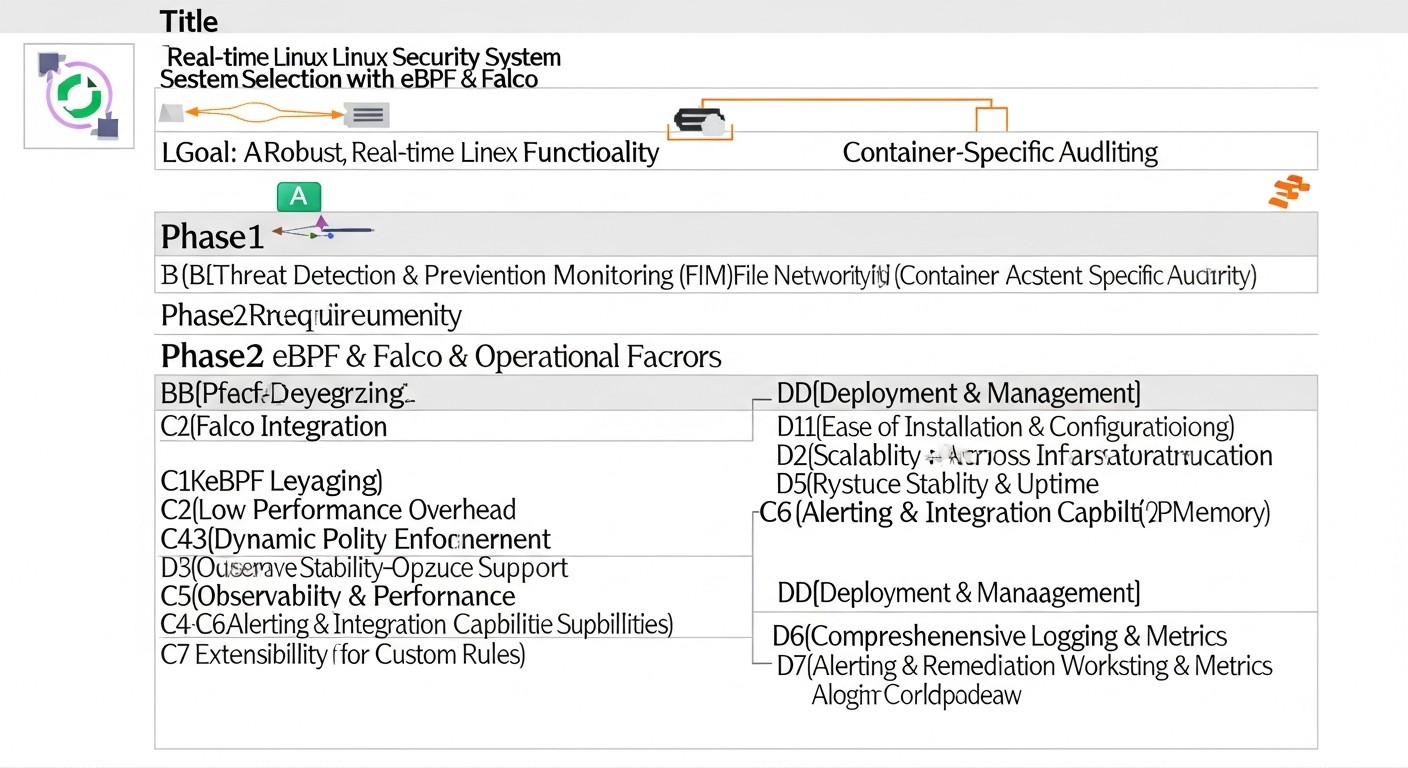
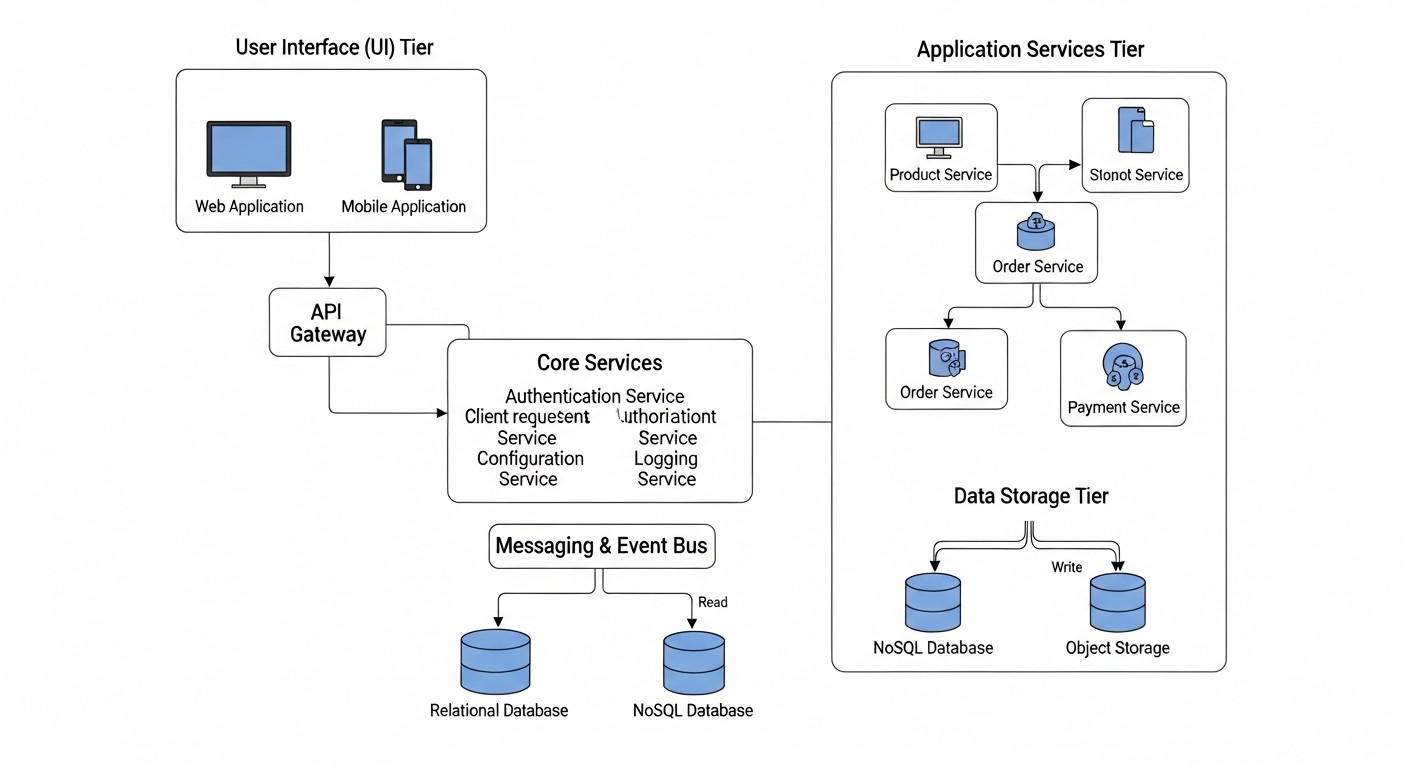
Diagram: 4. Key Criteria and Factors for Choosing a Security System

Choosing and implementing a security system for Linux servers is not just about installing software; it's a strategic decision that must be based on a clear understanding of your infrastructure's needs and risks. In 2026, with cyber threats becoming even more sophisticated and infrastructure more dynamic, it is crucial to consider a number of key criteria. The correct evaluation of these criteria determines not only the effectiveness of protection but also the overall stability and performance of your system.

4.1. Depth of Visibility and Event Detail

Why it's important: Traditional security tools often operate at the level of file operations or network packets, overlooking lower-level but critically important events. Depth of visibility determines how detailed the system can track activity on the server. In the context of eBPF and Falco, this means the ability to monitor Linux kernel system calls (syscalls), which is fundamental to understanding any actions occurring in the system.

How to evaluate: Assess what types of events the system is capable of tracking. Can it see process creation, file execution, network connections, access right changes, kernel module loading, memory access? The wider the range of tracked events, the more complete the picture of what is happening. Falco, using eBPF, provides access to hundreds of system calls and events, including file operations, networking, processes, memory, and much more.

4.2. Real-time Threat Detection

Why it's important: Incident response time is a critical factor. The faster you detect an attack, the less damage it can inflict. Systems that analyze logs post-factum are good for auditing but ineffective for active defense. Real-time detection means the system is capable of analyzing events at the moment they occur and immediately generating alerts or triggering automated responses.

How to evaluate: Check how quickly the system can process the event stream and match it against rules. Are there delays between an event and an alert? Falco is specifically designed for low-latency kernel event analysis, allowing it to detect anomalies almost instantly, before an attacker can establish a foothold in the system or cause significant damage.

4.3. Low Performance Overhead

Why it's important: Any security agent running on a server consumes CPU, RAM, and I/O resources. If this overhead is too high, it will negatively impact the performance of the main application or service for which the server operates. Under high load on VPS or dedicated servers, every percentage of performance counts.

How to evaluate: Study benchmarks and real-world use cases. How does the system behave under load? How much CPU time and memory does it consume? Falco's eBPF driver is known for its efficiency. It operates in kernel space, avoiding costly context switches between kernel and user space, and performs event filtering at the lowest level, passing only relevant data to Falco. This ensures minimal performance impact, often less than 1-3% CPU.

4.4. Rule Flexibility and Extensibility

Why it's important: The threat landscape is constantly changing, and your security system must be able to adapt. The ability to create custom detection rules, modify existing ones, and integrate new data sources is critically important for protecting against unique threats or specific attacks on your infrastructure.

How to evaluate: How simple is the rule language? Is it possible to use complex logical conditions, contextual data? Does the system support plugins or custom data sources? Falco uses a simple and powerful YAML syntax for rules, allowing the combination of many conditions, filters, and macros, which makes it extremely flexible. Additionally, Falco supports plugins for collecting data from other sources, such as K8s API or cloud providers.

4.5. Integration with Existing Tools

Why it's important: Security systems should not exist in a vacuum. They are part of a larger ecosystem of monitoring, logging, and response. The ability to integrate with SIEM systems (Splunk, ELK Stack, Graylog), alerting systems (Slack, PagerDuty, Prometheus Alertmanager), and orchestration (Ansible, Terraform) significantly simplifies incident management and process automation.

How to evaluate: What connectors and APIs does the system provide? How easy is it to configure sending events to your SIEM or alerting system? Falco has built-in mechanisms for outputting events in various formats (JSON, Syslog) and supports integration with popular tools via Falco Sidekick, making it easily embeddable into any modern SOC/DevOps infrastructure.

4.6. Ease of Deployment and Management

Why it's important: Complex installation and configuration can become a serious obstacle to implementation, especially with limited resources. A security system requires regular updates and maintenance, so ease of management is also critical.

How to evaluate: Are packages available for popular Linux distributions? Are there ready-made Docker images or Helm charts for Kubernetes? How clear is the documentation? Falco is delivered as packages for most distributions, Docker images, and Helm charts, making its deployment relatively simple. Rule and configuration management is also intuitive.

4.7. Active Community and Support

Why it's important: For Open Source projects like Falco, an active community is key to long-term development, regular updates, bug fixes, and available assistance. This is especially important when solving complex or non-standard tasks.

How to evaluate: How actively is the project developing on GitHub? How often are new versions released? Are there forums, chats (e.g., Slack), or other channels for communication with developers and other users? Falco, being a CNCF incubating project, has a very active and growing community, as well as support from Sysdig, which ensures its stable development.

5. Comparison Table of Threat Detection Solutions

5. Comparative Table of Threat Detection Solutions
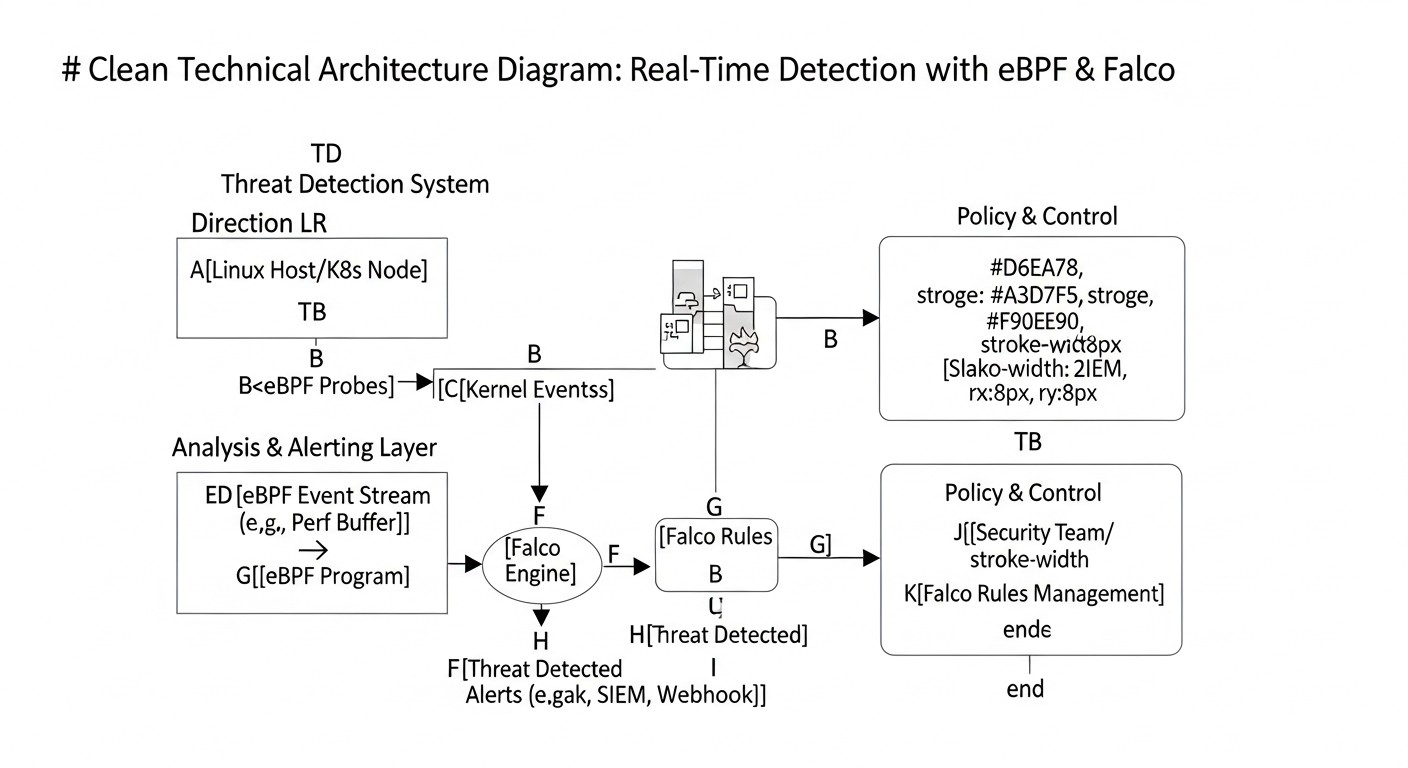
Diagram: 5. Comparative Table of Threat Detection Solutions

Choosing the right tool for threat detection on Linux servers is a non-trivial task. The market offers many solutions, each with its own strengths and weaknesses. To demonstrate why the eBPF+Falco combination is one of the most promising approaches in 2026, we will compare it with several popular alternatives. The data in the table reflects the current state of technologies and their approximate characteristics for 2026.

Criterion Falco (eBPF-driver) Falco (Kernel Module) Linux Auditd OSSEC HIDS Suricata (IDS/IPS) Commercial EDR (e.g., Sysdig Secure)
Detection Method Kernel system call monitoring via eBPF. Behavioral analysis. Kernel system call monitoring via kernel module. Behavioral analysis. System call and file event monitoring. Event-based rules. Log monitoring, file integrity, rootkits, network events. Deep Packet Inspection (DPI), signature and anomaly analysis. Comprehensive monitoring of processes, network, files, memory, behavior, SIEM/SOAR integration.
Visibility Depth Exceptionally deep (all kernel system calls). Exceptionally deep (all kernel system calls). Deep (system calls, file events). Medium (depends on log sources and agent capabilities). High (network traffic on L2-L7). Does not see internal host activity. Very high (covers all aspects of host and network).
Real-time Detection Yes, with minimal latency (milliseconds). Yes, with minimal latency (milliseconds). Yes, but rule processing can cause delays. Yes, but delays depend on log parsing frequency. Yes, with minimal latency. Yes, instant detection and response.
Overhead (CPU/RAM) Very low (1-3% CPU, 50-100MB RAM). Low (3-5% CPU, 50-100MB RAM). Medium (5-15% CPU under high load, depends on rules). Low (1-5% CPU, 30-80MB RAM). High (10-50% CPU, 200MB-1GB+ RAM on high-traffic networks). Medium-high (5-20% CPU, 200-500MB+ RAM).
Rule Flexibility High (YAML, powerful syntax, macros, lists). High (YAML, powerful syntax, macros, lists). Medium (complex syntax, limited capabilities). Medium (XML, regular expressions). High (Suricata rules, Snort-compatible). Very high (often ML-driven, behavioral analysis, custom rules).
Deployment Complexity Medium (requires compatible kernel, driver compilation). Medium (requires compatible kernel, module compilation). Low (built into Linux kernel). Low-medium (client-server architecture). High (requires network configuration, rule tuning). Low-medium (agent, centralized management).
Container/K8s Support Excellent (visibility inside containers). Excellent (visibility inside containers). Limited (requires additional configuration). Low (not designed for this). Low (sees network traffic, but not internal activity). Excellent (specialized solutions for K8s).
Cost (2026 estimate) Free (Open Source), operational costs ~ $5-20/server/month (man-hours + log storage). Free (Open Source), operational costs ~ $5-20/server/month. Free (built-in), operational costs ~ $2-10/server/month. Free (Open Source), operational costs ~ $3-15/server/month. Free (Open Source), operational costs ~ $10-50/server/month (due to high resource requirements). High (license $50-200+/server/month + operational costs).

Table Conclusions:

  • Falco with eBPF stands out as the best solution for deep kernel monitoring with minimal overhead, which is critically important for VPS and dedicated servers. It offers excellent flexibility and visibility, comparable to commercial EDRs, but with open source.
  • Kernel Module Falco is similar in functionality, but the eBPF-driver is preferable due to its security (sandbox) and ease of use (does not require kernel recompilation).
  • Linux Auditd is a good baseline, but its complexity, high overhead with detailed logging, and limited rule capabilities make it less attractive for active real-time threat detection compared to Falco.
  • OSSEC HIDS is good for file and log integrity monitoring, but it lacks deep visibility at the system call level and is not designed for modern container environments.
  • Suricata is an excellent tool for network security, but it complements, rather than replaces, host security. It does not see what happens inside the server after a packet is accepted.
  • Commercial EDR solutions offer the most comprehensive set of features, including automated response and advanced ML-driven analytics. However, their high cost and proprietary nature make them inaccessible for many startups and VPS projects. Falco with eBPF can be a powerful and cost-effective alternative, covering a significant portion of EDR functionality.

Thus, for DevOps engineers and SaaS project owners working with Linux on VPS and dedicated servers, Falco with an eBPF-driver represents an optimal balance between detection depth, performance, flexibility, and cost.

6. Detailed Overview of eBPF and Falco
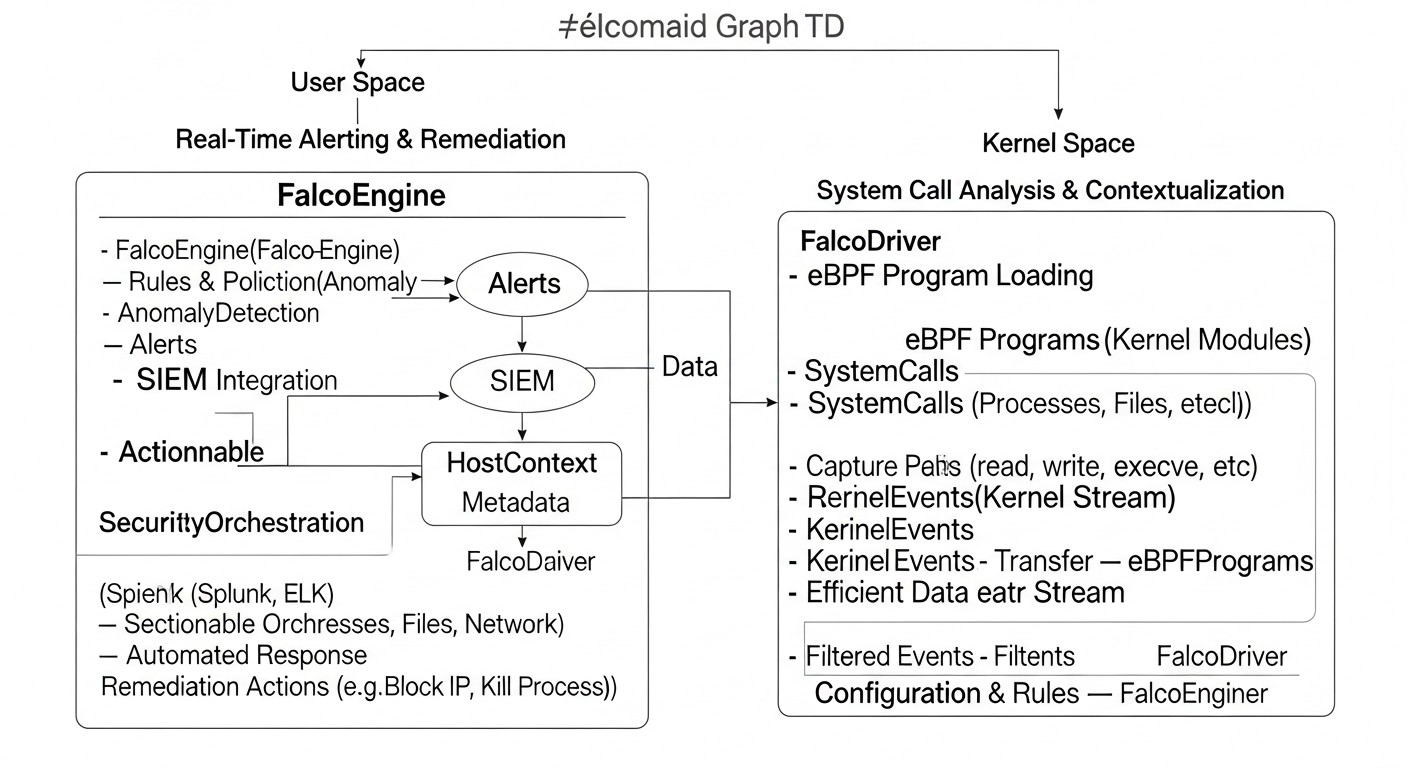
Diagram: 6. Detailed Overview of eBPF and Falco

To fully appreciate the power of the eBPF and Falco combination, it is necessary to deeply understand each of these technologies individually and how they interact to create an effective threat detection system.

6.1. What is eBPF? (extended Berkeley Packet Filter)

eBPF is not just a tool; it's a revolutionary technology embedded in the Linux kernel that allows for safe and efficient execution of user-defined code in privileged kernel mode. Initially (in its older form, BPF), it was designed for network packet filtering, but in recent years, it has significantly expanded, transforming into a powerful engine for a wide range of tasks, including security, tracing, monitoring, and networking functions.

How it works:

  1. eBPF Program: A developer writes a small program in C (or another language that compiles to eBPF bytecode) that describes what needs to be done when a specific event occurs.
  2. Binding to Kernel Hooks: This program is attached to so-called "hooks" in the Linux kernel. These hooks can be system calls (syscalls), tracepoints (kprobes/uprobes), network stack events, and many others.
  3. Verification and JIT Compilation: Before being loaded into the kernel, an eBPF program undergoes strict verification. The verifier ensures that the program is safe (contains no infinite loops, does not access invalid memory, always terminates) and will not crash the kernel. After successful verification, the program is JIT-compiled into native machine code for maximum performance.
  4. Execution in the Kernel: When an event occurs to which an eBPF program is attached, it executes directly in kernel space. This provides unprecedented performance and low overhead, as there is no need to switch between user and kernel space.

Advantages of eBPF for Security:

  • Deep Visibility: eBPF has access to all aspects of kernel operation, including system calls, network traffic, file operations, which allows for a complete picture of what is happening.
  • Security: The eBPF verifier ensures that programs cannot harm the kernel or cause it to crash. Programs run in a sandbox.
  • Performance: JIT compilation and in-kernel execution provide minimal overhead, allowing eBPF to be used even on high-load systems.
  • Dynamism: eBPF programs can be loaded and unloaded on the fly without rebooting the kernel or operating system.
  • Isolation: eBPF programs are not kernel modules in the traditional sense; they do not modify the kernel's source code and do not require recompilation.

Disadvantages: High barrier to entry for developing custom eBPF programs, although for using ready-made tools like Falco, this is not an issue.

6.2. What is Falco?

Falco is an Open Source real-time security threat detection tool, developed by Sysdig and an incubation project of the Cloud Native Computing Foundation (CNCF). Falco acts as a "watchdog" for your system, constantly monitoring its behavior and alerting you to suspicious or unauthorized activities.

How Falco uses eBPF:

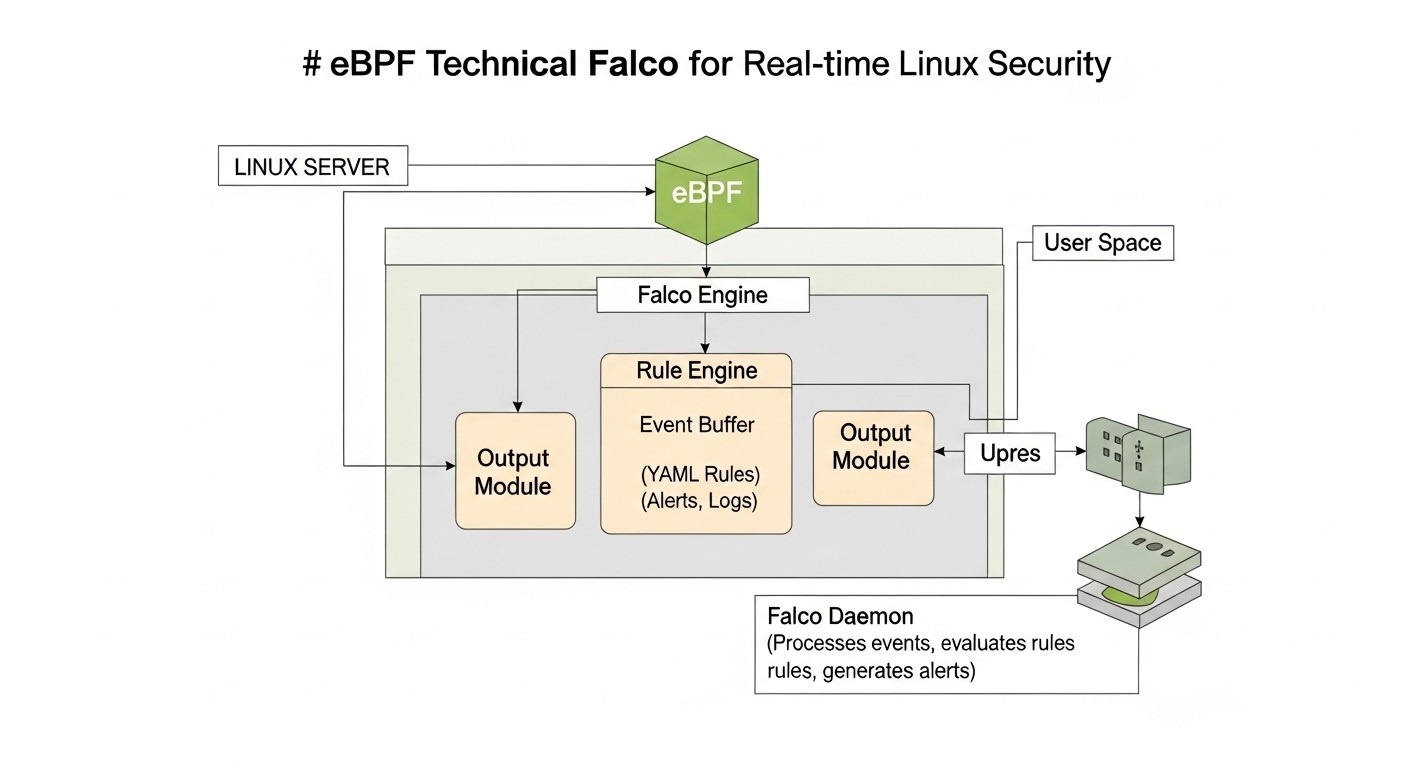
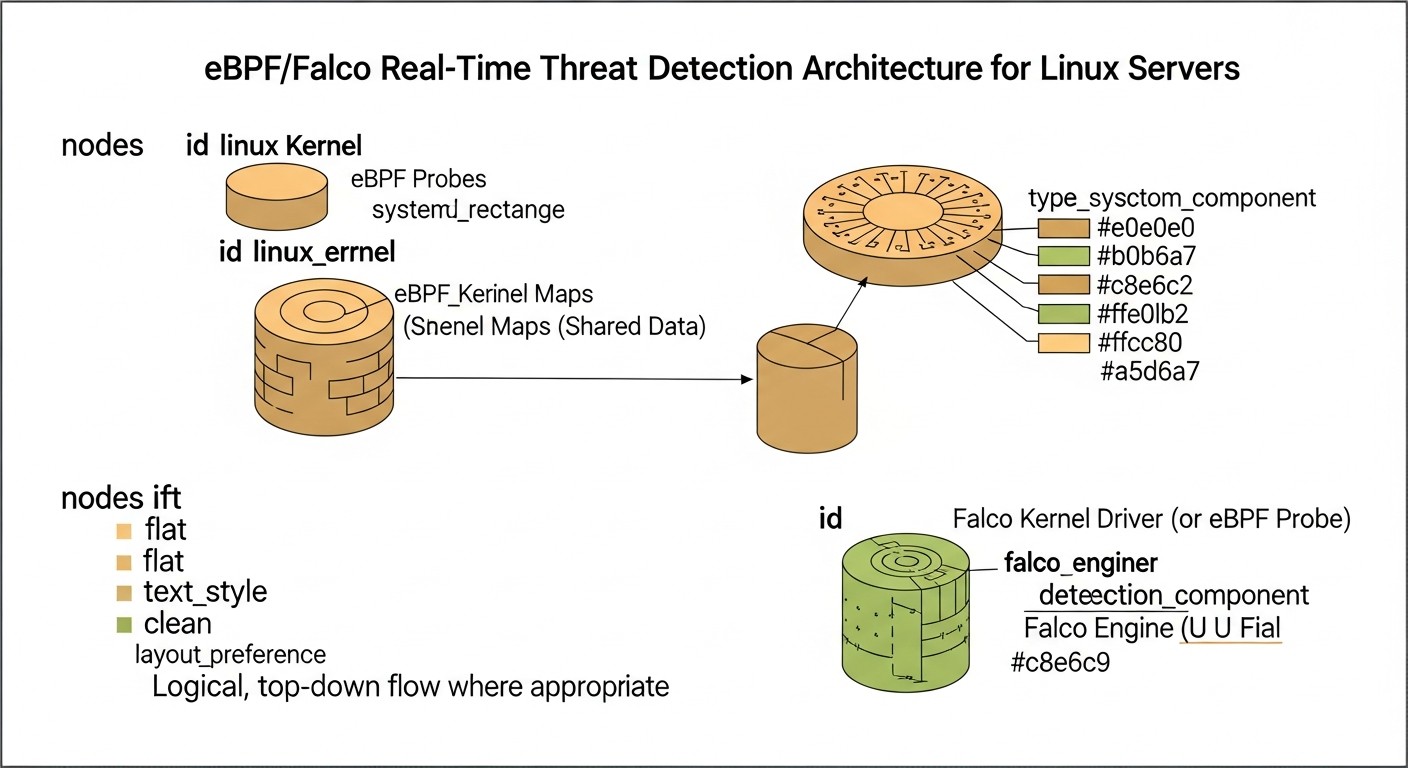
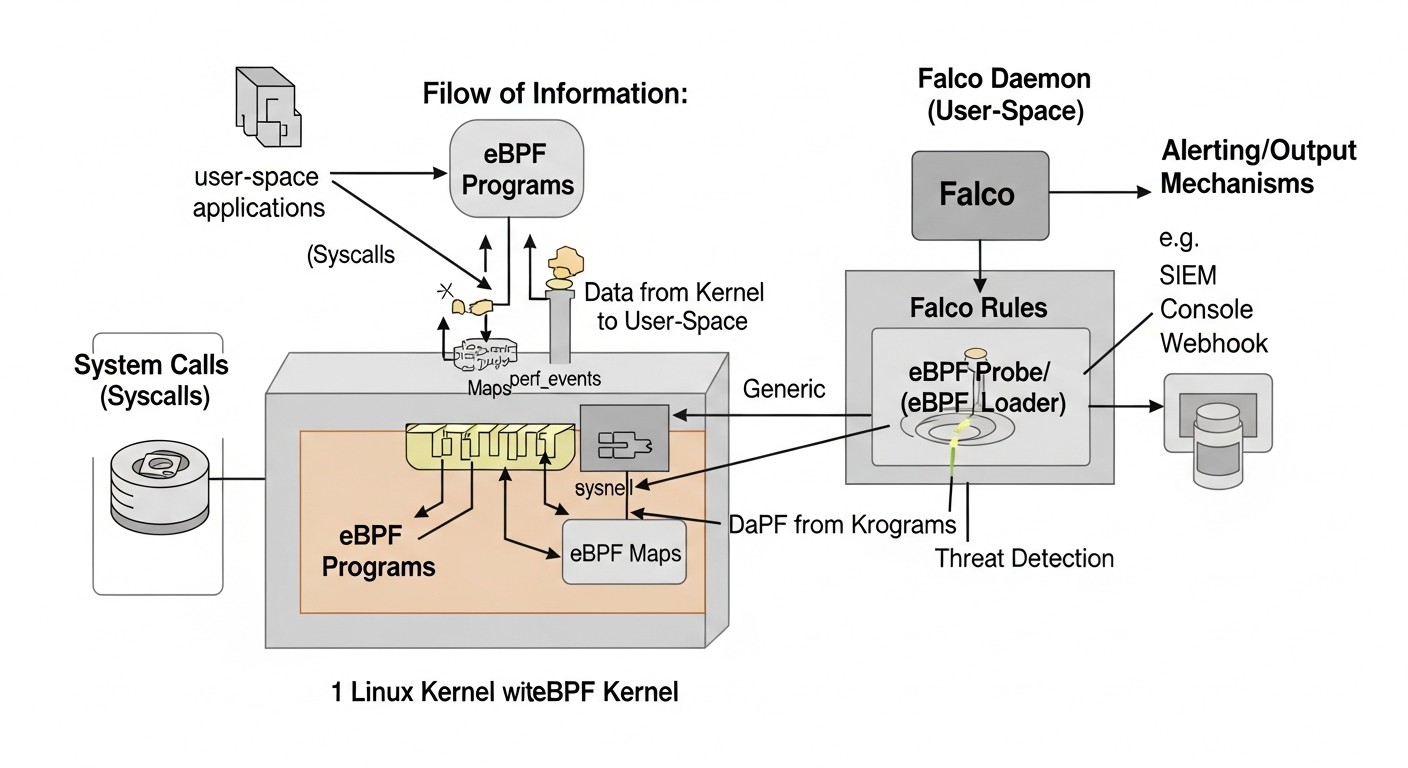
Falco uses eBPF (or a kernel module if eBPF is unavailable) as its primary driver for collecting system call data. It is not an eBPF program itself, but rather uses eBPF as an efficient mechanism to obtain low-level events from the kernel. Falco installs a series of eBPF programs in the kernel that intercept system calls and pass them to Falco's user space. There, these events are analyzed against predefined rules.

Falco Architecture:

  1. Driver (eBPF/Kernel Module): This is a low-level component that intercepts system calls and other kernel events. The eBPF driver is the preferred option due to its security and performance.
  2. libsinsp Library: Processes raw events from the driver, enriches them with contextual information (process name, user, container ID, network data, etc.), and normalizes them into a unified format.
  3. Falco Rules Engine: The main component that takes processed events and applies a set of YAML-written rules to them. Rules define what constitutes "normal" behavior and what is "suspicious."
  4. Output Channels (Outputs): When a rule triggers, Falco generates an alert that can be sent to various destinations: standard output, syslog, a file, an HTTP endpoint (for integration with SIEM/Slack/PagerDuty), Kafka, and others.

Advantages of Falco:

  • Real-time Threat Detection: Thanks to eBPF, Falco analyzes events instantly.
  • Behavioral Analysis: Falco focuses on system behavior, not just signatures. This allows for the detection of previously unknown threats.
  • Contextual Enrichment: Events are enriched with rich context (e.g., "process N, launched by user U, in container C, executed system call S with arguments A").
  • Flexible Rules: Powerful and easy-to-understand YAML rule syntax.
  • Container and Kubernetes Support: Falco works excellently in containerized environments, automatically associating events with specific containers, pods, and Kubernetes namespaces.
  • Open Source: Allows it to be adapted to any needs and avoids licensing fees.

Disadvantages: Requires specific knowledge for configuring rules and integrating with other systems. Can generate false positives if rules are incorrectly configured.

6.3. Collaborative Work of eBPF and Falco

The combination of eBPF and Falco represents a powerful symbiosis, where eBPF provides the mechanism for obtaining highly detailed and low-latency data from the kernel, and Falco provides the intelligent engine for their analysis and interpretation. Imagine eBPF as a highly sensitive microphone that hears every rustle in the kernel, and Falco as an expert who listens to these rustles and instantly determines which one is an alarm signal.

Example: If an attacker tries to modify the file /etc/passwd, eBPF will intercept the open() or write() system call for that file. Falco will receive this event, enrich it with information about the process, user, container, and if a rule exists, for example, "unauthorized write to a critical system file," it will immediately generate an alert. All of this will happen in milliseconds, allowing you to react promptly.

In 2026, as attacks become increasingly stealthy and aimed at bypassing traditional defenses, such deep, behavioral, and real-time visibility becomes not just desirable, but absolutely essential for maintaining the security of your Linux systems.

7. Practical Tips and Implementation Recommendations
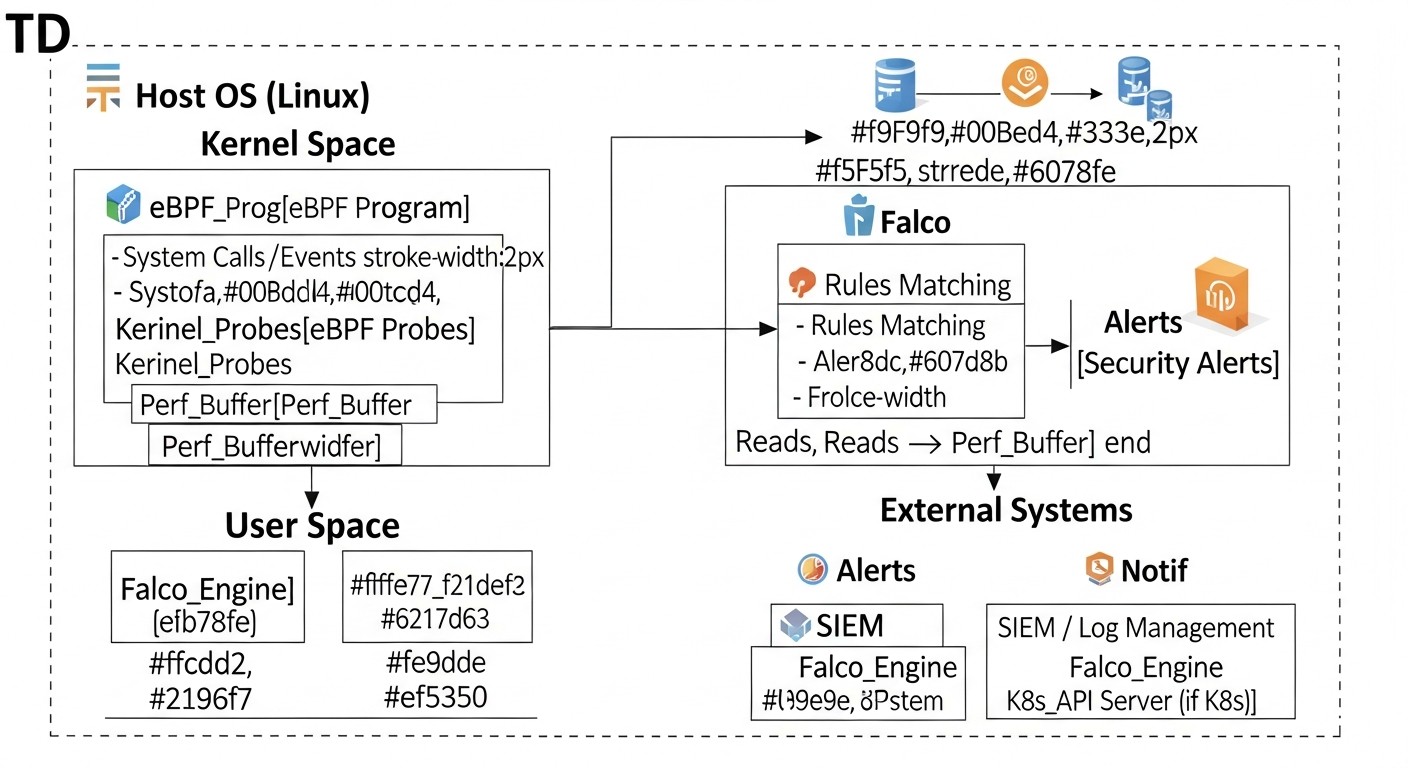
Diagram: 7. Practical Tips and Implementation Recommendations

Implementing Falco on your VPS and dedicated servers is not just about package installation, but a process that requires careful configuration and integration. By following these practical tips, you can maximize Falco's effectiveness for real-time threat detection.

7.1. Operating System Selection and Preparation

Kernel Up-to-dateness: Using Falco's eBPF driver requires a relatively recent Linux kernel. In 2026, this means kernel version 4.14+ (for basic functions) or 5.x+ (for full functionality and better performance). Ensure your OS uses a supported kernel. It is recommended to use LTS versions of distributions such as Ubuntu Server (22.04 LTS or newer), Debian (11 or 12), CentOS Stream 9 (or RHEL 9).

Installing Kernel Headers: To build the eBPF driver (if it's not provided in binary form for your kernel) or the kernel module, you will need kernel headers. This is standard practice.


# Для Ubuntu/Debian
sudo apt update
sudo apt install -y linux-headers-$(uname -r)

# Для CentOS/RHEL
sudo yum install -y kernel-devel-$(uname -r)

System Update: Always start with a fully updated system to eliminate known vulnerabilities and ensure compatibility.


# Для Ubuntu/Debian
sudo apt update && sudo apt upgrade -y

# Для CentOS/RHEL
sudo yum update -y

7.2. Installing Falco

Falco can be installed in several ways. It is recommended to use official repositories or Docker images.

7.2.1. Installation from Repository (Recommended for Hosts)

This is the simplest method for most distributions.


# 1. Добавление репозитория Falco GPG ключа
curl -s https://falco.org/repo/falcosecurity-3672CE7F.asc | gpg --dearmor | sudo tee /usr/share/keyrings/falcosecurity-archive-keyring.gpg > /dev/null

# 2. Добавление репозитория Falco
echo "deb [signed-by=/usr/share/keyrings/falcosecurity-archive-keyring.gpg] https://download.falco.org/packages/deb stable main" | sudo tee /etc/apt/sources.list.d/falcosecurity.list

# 3. Обновление списка пакетов и установка Falco
sudo apt update
sudo apt install -y falco

# Для CentOS/RHEL (пример)
# sudo dnf config-manager --add-repo https://download.falco.org/packages/rpm/falco_rpm.repo
# sudo dnf install -y falco

After installation, Falco will automatically attempt to download or build the eBPF driver. If this fails, it will try to use the kernel module. You can check the driver status as follows:


sudo falco-driver-loader status

If the driver is not loaded, try restarting the service:


sudo systemctl enable falco
sudo systemctl start falco
sudo systemctl status falco

7.2.2. Installation using Docker (for Container Environments or Test Beds)

To run Falco in a container, you will need to grant it access to the host kernel.


# Запуск Falco с eBPF-драйвером
sudo docker run -i -t --name falco --privileged -v /var/run/docker.sock:/var/run/docker.sock \
    -v /dev:/dev -v /proc:/proc:ro -v /etc:/etc:ro \
    falcosecurity/falco:latest

Note the --privileged flag and the mounting of critical directories. This is necessary for accessing system calls and container context. In production for Kubernetes, it is recommended to use a Helm Chart.

7.3. Basic Falco Configuration

Falco's main configuration file is located at /etc/falco/falco.yaml. Important parameters:

  • json_output: true: Recommended for integration with SIEM systems, as JSON is easily parsable.
  • priority: debug: Set the logging level. For production, usually info or warning.
  • file_output.enabled: true and file_output.filename: /var/log/falco/events.json: Enable event output to a file. Excellent for log collection by log aggregators.
  • http_output.enabled: true and http_output.url: Configure an HTTP endpoint for sending alerts (e.g., to Falco Sidekick or directly to a SIEM).

# /etc/falco/falco.yaml
json_output: true
priority: info

file_output:
  enabled: true
  filename: /var/log/falco/events.json

http_output:
  enabled: true
  url: "http://localhost:2801/" # Пример URL для Falco Sidekick или другого обработчика

# Включение/отключение наборов правил
rules_file:
  - /etc/falco/falco_rules.yaml
  - /etc/falco/falco_rules.local.yaml # Для ваших кастомных правил
  - /etc/falco/k8s_audit_rules.yaml # Если используете K8s

After changing the configuration, restart Falco:


sudo systemctl restart falco

7.4. Creating and Testing Custom Rules

Falco comes with an extensive set of predefined rules, but for specific threats and your infrastructure, you will likely need your own. Create them in a separate file, for example, /etc/falco/falco_rules.local.yaml.

Example of a simple rule: Detecting writes to critical system directories.


# /etc/falco/falco_rules.local.yaml
- rule: Write to Sensitive Directory
  desc: Detects writes to sensitive system directories outside of expected package management.
  condition: >
    (evt.type=write or evt.type=open and evt.arg.flags contains O_WRONLY) and
    (fd.name startswith "/etc/" or fd.name startswith "/bin/" or
     fd.name startswith "/sbin/" or fd.name startswith "/usr/bin/" or
     fd.name startswith "/usr/sbin/") and
    not proc.name in (package_management_binaries) and
    not user.name in (root_users) # Исключаем root, если это нежелательно
  output: >
    Sensitive directory write detected (user=%user.name client_ip=%client.ip process=%proc.name command=%proc.cmdline file=%fd.name)
  priority: WARNING
  tags: [host, filesystem, privileged, MITRE_T1003]

Testing Rules: Use the falco --validate utility to check the syntax of your rules and falco -r /path/to/my_rules.yaml to run Falco with a specific set of rules in test mode.


# Проверка синтаксиса всех правил
sudo falco --validate

# Запуск Falco в интерактивном режиме с кастомными правилами
# (откройте другой терминал и выполните подозрительные действия)
sudo falco -c /etc/falco/falco.yaml -r /etc/falco/falco_rules.local.yaml

Useful Macros and Lists: Falco allows you to create macros (reusable conditions) and lists (sets of values), which significantly simplifies rules and prevents duplication.


# Пример макроса для системных вызовов записи
- macro: write_syscalls
  condition: >
    evt.type in (write, pwrite, pwritev, writev) or
    (evt.type=open and evt.arg.flags contains O_WRONLY)

# Пример списка для легитимных процессов управления пакетами
- list: package_management_binaries
  items: [apt, apt-get, dpkg, yum, dnf, rpm, zypper]

7.5. Integration with Alerting Systems and SIEM

For a complete security system, Falco must be integrated with your incident management process. It is recommended to use Falco Sidekick.

Falco Sidekick: This is a lightweight proxy server that receives alerts from Falco via HTTP and forwards them to various target systems: Slack, PagerDuty, Grafana Loki, Elasticsearch, Splunk, Prometheus, Webhooks, and many others. This eliminates the need to configure each integration directly in falco.yaml.

Install Falco Sidekick on a separate machine or in a container, then configure http_output.url in falco.yaml to your Sidekick's address.


# Пример запуска Falco Sidekick в Docker
sudo docker run -d --name falco-sidekick -p 2801:2801 falcosecurity/falco-sidekick:latest

Then configure Sidekick via its environment variables to send to the desired systems (e.g., SLACK_WEBHOOK_URL, ELASTICSEARCH_HOSTS).

7.6. Monitoring Falco Itself

Like any critical component, Falco requires monitoring. Track its status, resource consumption, and the number of generated alerts. The Prometheus exporter for Falco Sidekick or Falco's built-in metrics can help with this.


# Проверка статуса службы
sudo systemctl status falco

# Просмотр логов Falco
sudo journalctl -u falco -f

# Проверка метрик Falco (если включен Prometheus-экспортер)
curl http://localhost:8765/metrics # Порт по умолчанию для Falco Sidekick Prometheus-экспортера

These recommendations will help you effectively deploy and configure Falco, turning it into a reliable protector for your Linux servers in 2026.

8. Common Mistakes When Working with Falco and eBPF
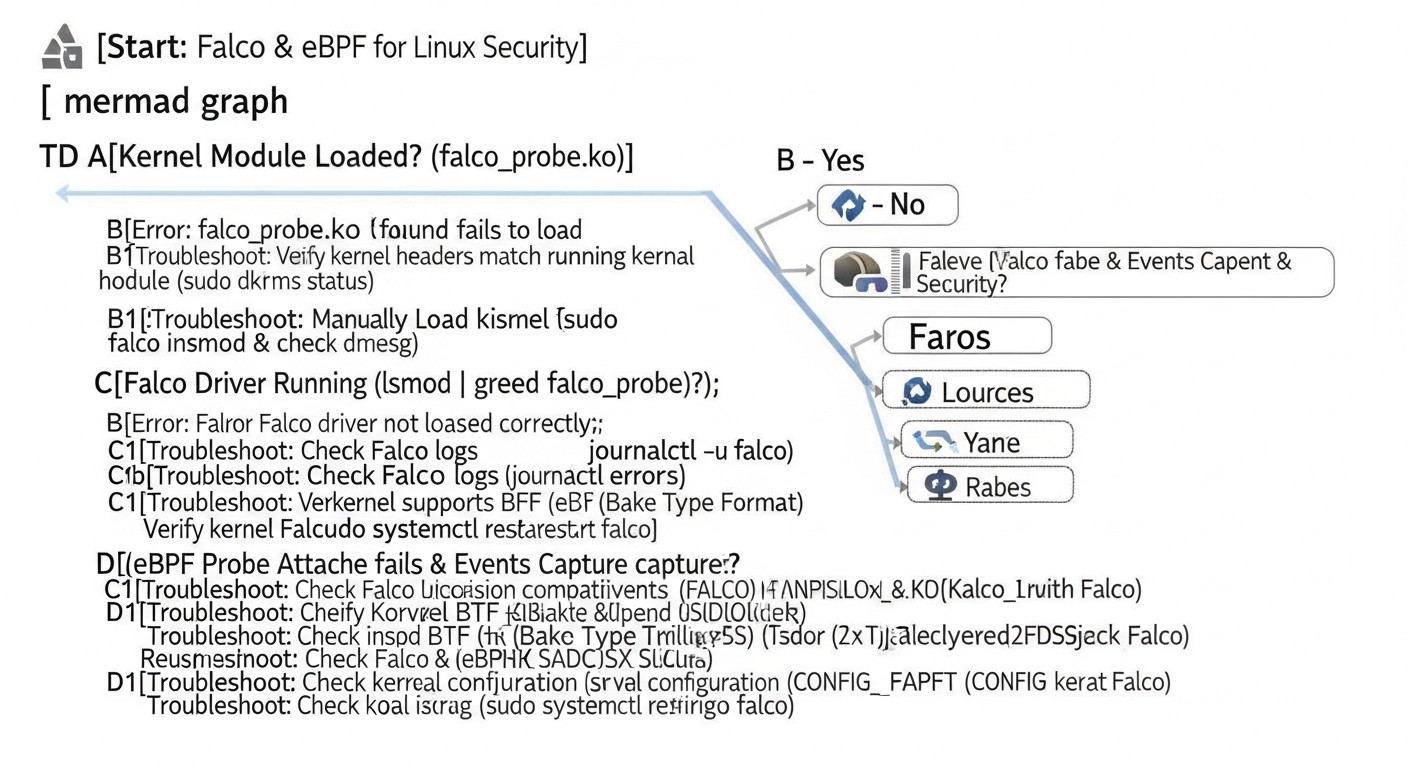
Diagram: 8. Common Mistakes When Working with Falco and eBPF

Implementing any new technology comes with certain challenges, and Falco with eBPF is no exception. Knowing common mistakes will help you avoid them and make the implementation process smoother and more efficient. Mistakes here can lead not only to false positives or missed threats but also to performance or system stability issues.

8.1. Ignoring or Completely Disabling Standard Rules

Mistake: Many users, striving for minimalism or avoiding noise, completely disable or significantly reduce the set of standard Falco rules. Sometimes this is done to "start from scratch" and create only their own rules.

How to avoid: Standard Falco rules (falco_rules.yaml, falco_rules.local.yaml, k8s_audit_rules.yaml, etc.) are developed by security experts and cover a wide range of common attacks and suspicious activities. Instead of disabling them, study them. Disable or modify only those rules that generate too many false positives in your specific environment, and only after thorough analysis. Use the exception mechanism (exceptions) in rules to selectively ignore legitimate activity.

Real-world consequences: Missing basic attacks, such as attempts to modify critical files, running commands from unusual directories, or performing suspicious network connections. One of our clients disabled the "Launch Suspicious Network Tool" rule to avoid alerts from their legitimate monitoring tool. As a result, when an attacker used nc for data exfiltration, Falco remained silent.

8.2. Overly Broad or Narrow Rules (False Positives/Negatives)

Mistake: Creating rules that are either too general and trigger on any activity (leading to "noise" and ignored alerts), or too specific and miss slightly modified attacks.

How to avoid: Develop rules iteratively. Start with broader rules, then narrow them down by adding exceptions for legitimate activity. Use falco --list-events and falco --list-fields to understand available fields and their values. Test rules in a test environment, simulating both legitimate and malicious actions. Use macros and lists to manage complexity and reuse conditions.

Real-world consequences:

  • Broad rules: "Running any script" leads to thousands of alerts per day from CI/CD pipelines, system utilities, and applications. Engineers stop paying attention to Falco, and real threats get lost in the noise.
  • Narrow rules: A rule that only triggers on /bin/bash -c "rm -rf /" will miss /usr/bin/python -c "import os; os.system('rm -rf /')". Attackers constantly change their methods.

8.3. Insufficient Monitoring of Falco Itself and Its Driver

Mistake: After installing Falco, users forget to monitor its health, resource consumption, or eBPF driver status.

How to avoid: Integrate Falco into your overall monitoring system. Track the Falco service status (systemctl status falco), use the Falco Sidekick Prometheus exporter to collect metrics (number of processed events, number of triggered rules, latency). Regularly check Falco logs for driver errors or rule parsing issues. Ensure that the eBPF driver is active and working correctly (falco-driver-loader status).

Real-world consequences: The eBPF driver may stop working after a kernel update or due to incompatibility, leaving the system unprotected. We observed a case where, after an automatic kernel update on a VPS, Falco stopped receiving events, but no one noticed for a week until an incident occurred that Falco should have detected.

8.4. Lack of Integration with Alerting and Response Systems

Mistake: Falco generates alerts, but they are either simply written to a log file that no one reads, or sent to a system that is not integrated into the team's workflow.

How to avoid: Falco should be integrated with your SIEM (Splunk, ELK, Graylog), alerting system (Slack, PagerDuty, Prometheus Alertmanager), or SOAR platform. Use Falco Sidekick to simplify these integrations. Define a clear incident response process for each type of Falco alert.

Real-world consequences: Falco detects an attack, but the alert about it gets lost in the log stream or arrives in an email inbox that is checked once a day. This negates all the benefits of real-time detection. In one case, an alert about an SSH brute-force attempt was sent to a general Slack channel, but due to the lack of a clear owner or automated response, it was ignored until the attacker gained access.

8.5. Insufficient Understanding of Falco Event Context and Fields

Mistake: Attempts to write rules without a deep understanding of which fields are available for each event, their values, and how they relate to system calls.

How to avoid: Study the Falco documentation on events and fields. Use the falco --list-events command to view all available events and falco --list-fields to view all available fields. Run Falco in interactive mode (falco -A) and generate test events to see which fields are populated and what values they take in your environment. This will help create more accurate and effective rules.

Real-world consequences: Creating rules that never trigger because non-existent fields or incorrect values are used. For example, attempting to filter by proc.container.id when the process is not running in a container, or expecting a file.hash field that Falco does not provide by default. This leads to a false sense of security.

8.6. Using Outdated or Unoptimized Kernel Versions

Mistake: Running Falco with the eBPF driver on very old Linux kernels or kernels with non-standard configurations, which can lead to compatibility issues, performance problems, or the absence of certain eBPF features.

How to avoid: In 2026, it is recommended to use kernel versions 5.x and higher for maximum eBPF performance and stability. Ensure that the kernel is compiled with the necessary eBPF options (e.g., CONFIG_BPF_SYSCALL, CONFIG_BPF_JIT). Regularly update the kernel to the latest stable versions to receive bug fixes and eBPF performance improvements.

Real-world consequences: Problems with loading the eBPF driver, unstable Falco operation, increased resource consumption due to an unoptimized eBPF JIT compiler, and the inability to use some advanced eBPF features that appeared in newer kernels.
9. Checklist for Practical Falco Application

This checklist will help you systematize the process of implementing and operating Falco on your Linux servers, ensuring a comprehensive approach to security.

  1. Planning and Preliminary Assessment:
    • Identify critical assets and data on your servers.
    • Identify key threats relevant to your infrastructure (e.g., web exploits, insider threats, brute force).
    • Assess the current Linux kernel version on your servers (4.14+ is required for eBPF, 5.x+ is recommended).
    • Allocate a test environment for pilot Falco deployment.
  2. Operating System Preparation:
    • Update the OS to the latest stable version (sudo apt upgrade -y / sudo yum update -y).
    • Install kernel headers (linux-headers-$(uname -r) / kernel-devel-$(uname -r)).
    • Ensure that necessary utilities (curl, gpg, make, gcc) are installed.
  3. Falco Installation:
    • Add the official Falco repository and GPG key.
    • Install Falco from the repository (sudo apt install falco / sudo dnf install falco).
    • Check driver status (sudo falco-driver-loader status). Ensure that the eBPF driver is used.
    • Enable and start the Falco service (sudo systemctl enable falco && sudo systemctl start falco).
    • Check Falco logs for errors (sudo journalctl -u falco -f).
  4. Basic Falco Configuration (/etc/falco/falco.yaml):
    • Enable json_output: true for easier alert parsing.
    • Set priority: info or warning for production.
    • Configure file output (file_output.enabled: true, filename: /var/log/falco/events.json).
    • Include the file for custom rules (falco_rules.local.yaml).
  5. Rule Development and Tuning:
    • Study standard Falco rules to understand the logic.
    • Create the file /etc/falco/falco_rules.local.yaml for your custom rules.
    • Start with simple rules specific to your environment (e.g., prohibiting nc or wget from running from /tmp).
    • Use falco --validate to check rule syntax.
    • Test rules in a test environment: simulate attacks and legitimate actions to identify false positives and misses.
    • Use macros and lists to improve rule readability and manageability.
    • Gradually expand the rule set, covering more potential threats.
    • Add exceptions to rules for legitimate activity to minimize false positives (e.g., for CI/CD processes).
  6. Integration with Alerting Systems and SIEM:
    • Deploy Falco Sidekick (in Docker or on a separate host).
    • Configure http_output.url in falco.yaml to send alerts to Falco Sidekick.
    • Configure Falco Sidekick to send alerts to your SIEM system (Elasticsearch, Splunk, Graylog) and alerting system (Slack, PagerDuty, Telegram).
    • Ensure that alerts arrive in the correct channels and contain all necessary information.
  7. Falco Monitoring and Maintenance:
    • Configure monitoring for Falco service status (systemctl status falco) and resource consumption (CPU, RAM).
    • Integrate Falco metrics (via Falco Sidekick Prometheus exporter) into your monitoring system (Prometheus/Grafana).
    • Regularly review Falco logs for errors or warnings.
    • Plan regular updates for Falco and its rules.
    • Conduct periodic audits of rules for relevance and effectiveness.
  8. Team Training and Response Processes:
    • Train the DevOps/security team on working with Falco and interpreting its alerts.
    • Develop clear incident response procedures for various types of incidents detected by Falco.
    • Conduct regular incident response drills.
  9. Documentation:
    • Maintain documentation for installation, configuration, custom rules, and response processes.
  10. Scaling:
    • As infrastructure grows, consider centralized management of Falco and its rules (e.g., via GitOps, Ansible).
    • Optimize Falco for operation in Kubernetes clusters (using Helm Chart).

10. Cost Calculation / Economics

Diagram: 10. Cost Calculation / Economics

One of the key arguments in favor of Falco is its cost-effectiveness. As an Open Source project, Falco does not require direct license fees. However, this does not mean "free." In 2026, when the cost of security incidents has significantly increased and the skilled labor of engineers has become more expensive, it is important to consider the total cost of ownership (TCO).

Falco's economics consist of the following main components:

  1. Server Resources: CPU, RAM, I/O, network traffic consumed by the Falco agent.
  2. Log Storage and Processing: Cost of SIEM system, log storage, CPU for parsing and analysis.
  3. Human Resources: Engineer time for installation, configuration, rule development, monitoring, tuning, and incident response.
  4. Downtime/Damage from Incidents: Risk reduction and prevention of costly incidents.

10.1. Example Calculations for Different Scenarios (2026)

Scenario 1: Small Startup (10 VPS, 8GB RAM, 4 vCPU each)

  • Server Type: Cloud VPS (e.g., DigitalOcean, Hetzner, AWS EC2 t3.medium).
  • VPS Cost: ~$40/month per VPS = $400/month for 10 VPS.
  • Falco Resources:
    • CPU: ~2% of 4 vCPU = ~0.08 vCPU per VPS. Total: 0.8 vCPU.
    • RAM: ~100MB per VPS. Total: 1GB.
    • Disk: ~10GB for Falco logs (if stored locally before sending).

    Additional resource costs: Practically zero, Falco easily fits into existing resources. It might be necessary to upgrade 1-2 VPS to the next tier if they were already at their limit. Let's assume $20/month.

  • Log Storage and Processing:
    • Option A (minimal): Falco logs to a file, then Filebeat/Promtail sends to Grafana Loki.
      • Grafana Cloud Loki (100GB/month): ~$50/month.
      • Or self-hosted Loki (on a separate VPS): $20/month for VPS + $10/month for disk.
    • Option B (medium): Falco logs to Elasticsearch/OpenSearch.
      • AWS OpenSearch Service (minimum): ~$150/month.

    Let's assume $50/month for Loki.

  • Human Resources (DevOps/SRE engineer, $150/hour):
    • Initial installation and configuration (10 VPS, rules): 20 hours = $3000 (one-time).
    • Monthly maintenance, rule tuning, response: 10 hours/month = $1500/month.
  • TOTAL (Scenario 1):
    • One-time: $3000
    • Monthly: $20 (additional resources) + $50 (logs) + $1500 (human resources) = $1570/month.

    Compare this to a commercial EDR ($50-100/server/month): $500-$1000/month for licenses alone, plus the same human resources.

Scenario 2: Medium Company (50 dedicated servers, 32GB RAM, 16 vCPU each)

  • Server Type: Dedicated servers or powerful instances (e.g., AWS EC2 m6i.xlarge).
  • Server Cost: ~$200/month per server = $10000/month for 50 servers.
  • Falco Resources:
    • CPU: ~1% of 16 vCPU = ~0.16 vCPU per server. Total: 8 vCPU.
    • RAM: ~100MB per server. Total: 5GB.

    Additional resource costs: Insignificant, Falco scales well. Let's assume $50/month.

  • Log Storage and Processing (centralized):
    • AWS OpenSearch Service/Elastic Cloud (medium cluster): ~$500-1000/month.
    • Falco Sidekick for aggregation and sending.

    Let's assume $700/month.

  • Human Resources (Security/DevOps engineer, $180/hour):
    • Initial installation, configuration, rule development: 40 hours = $7200 (one-time).
    • Monthly maintenance, tuning, response: 20 hours/month = $3600/month.
  • TOTAL (Scenario 2):
    • One-time: $7200
    • Monthly: $50 (additional resources) + $700 (logs) + $3600 (human resources) = $4350/month.

    Commercial EDR: $50-100/server/month = $2500-$5000/month for licenses alone, plus the same human resources and log collection infrastructure.

10.2. Hidden Costs

  • Training: Time to train the team on Falco and eBPF. Can be significant if the team lacks experience.
  • Integration: Development of custom integrations if Falco Sidekick does not cover all needs.
  • Downtime: If Falco is configured incorrectly, it can cause performance issues or false positives requiring investigation.
  • Lost Revenue: If Falco is not properly configured, it can miss an attack, leading to significantly greater losses.

10.3. How to Optimize Costs

  • Automation: Use Ansible, Terraform, or Helm to automate Falco deployment and rule management. This will reduce engineer time.
  • Log Centralization: Use efficient and scalable log collection and analysis systems (Loki, OpenSearch) to reduce storage and processing costs.
  • Rule Tuning: Regular rule tuning to minimize false positives will reduce the time spent investigating "noise."
  • Community Engagement: Active participation in the Falco community will help find solutions to problems faster and share experiences, saving time on independent development.
  • Efficient Resource Utilization: Monitoring Falco's resource consumption will allow for prompt reaction to anomalies and configuration optimization.

Table with Example Calculations

Metric Small Startup (10 VPS) Medium Company (50 Dedicated Servers)
Additional Server Resources (monthly) ~$20 ~$50
Log Storage/Processing (monthly) ~$50 (Loki) ~$700 (OpenSearch)
Human Resources (monthly) ~$1500 ~$3600
TOTAL MONTHLY ~$1570 ~$4350
One-time Costs (human resources) ~$3000 ~$7200
Comparison with Commercial EDR (licenses only/monthly) ~$500 - $1000 ~$2500 - $5000

As seen from the calculations, even considering the costs of human resources and log infrastructure, Falco with eBPF offers a significantly more economical solution compared to commercial EDR systems, especially at larger scales. The main investment here is the expertise and time of your team, which ultimately leads to a deeper understanding of your own infrastructure and strengthening internal security competencies.

11. Use Cases and Examples

Diagram: 11. Use Cases and Examples

Theory is good, but real-world Falco with eBPF use cases demonstrate its practical value in a wide variety of scenarios. The examples below are based on generalized experience from implementations in real SaaS projects and infrastructures.

11.1. Case 1: Detecting a Web Server Attack (WordPress/Nginx)

Scenario: A small SaaS project uses a VPS with Nginx and WordPress. An attacker discovers a vulnerability in a WordPress plugin, allowing them to upload a shell script to the /tmp directory and attempt to execute it to gain full control over the system.

Problem: Traditional WAFs might miss a modified shell script. The server's antivirus might be outdated or fail to detect new malware. Nginx logs would show a POST request but not its consequences.

Solution with Falco and eBPF:

  1. Rule "Unexpected Executable in /tmp": Falco monitors attempts to execute files in the /tmp directory that are not known system utilities.
  2. Rule "Write to Sensitive Directory": Falco detects attempts to write to critical system directories (/etc, /bin, /usr/bin) by processes not related to package managers.
  3. Rule "Spawn Shell from Web Server": Falco detects the launch of an interactive shell (bash, sh) by the web server user (nginx, www-data).

Attack Flow and Detection:

  • The attacker uploads evil.php to /tmp via a WordPress vulnerability. Falco can detect an unusual write to /tmp if it's atypical for the web server.
  • The attacker attempts to execute evil.php or another uploaded script. Falco immediately triggers on "Unexpected Executable in /tmp", as the web server should not execute scripts from /tmp.
  • If the script successfully launches and attempts to get a reverse shell or modify system files (e.g., add a new user to /etc/passwd), "Spawn Shell from Web Server" and "Write to Sensitive Directory" will trigger.

Result: Falco immediately sends an alert to Slack and SIEM. The security team receives details: Nginx process (user=www-data), file path (/tmp/evil.php), command arguments (php /tmp/evil.php). An engineer quickly isolates the VPS, analyzes the attack, and restores the system, minimizing damage. Reaction time is reduced from hours to minutes.

11.2. Case 2: Identifying Insider Threat and Unauthorized Access

Scenario: A DevOps employee, with access to production servers, attempts to access confidential data for which they do not have direct permission, or to make unauthorized configuration changes to bypass internal policies.

Problem: The employee has legitimate SSH access. Traditional monitoring systems might not notice "unusual" behavior if it's carried out using standard utilities.

Solution with Falco and eBPF:

  1. Rule "Access Sensitive Files by Unauthorized User": Falco monitors attempts to access (read, write) files containing confidential data (e.g., /etc/shadow, configuration databases, secrets in /var/lib/my_app/secrets) by users not belonging to the list of authorized groups.
  2. Rule "Change System Configuration": Detects changes in configuration files that should not be edited manually (e.g., /etc/ssh/sshd_config, /etc/sudoers) or not through a configuration management system (Ansible, Terraform).
  3. Rule "Run Uncommon Privileged Command": Detects the use of commands requiring elevated privileges (sudo, chattr, setcap) or rarely used utilities (strace, debugfs) outside of planned operations.

Attack Flow and Detection:

  • The employee logs in via SSH. Falco sees a legitimate login.
  • The employee attempts to read /etc/shadow. "Access Sensitive Files by Unauthorized User" triggers, as the user is not root or a member of the shadow group.
  • The employee attempts to modify /etc/sudoers to grant themselves more privileges. "Change System Configuration" triggers, as this is a direct modification of a critical file.
  • The employee runs strace -p to analyze a running critical process. "Run Uncommon Privileged Command" triggers.

Result: Falco immediately signals suspicious activity, providing full context: who (user), what (command, file), where from (SSH session IP address). The security team receives a detailed alert, allowing them to promptly block the employee's access, conduct an investigation, and prevent data leakage or unauthorized changes. This demonstrates how Falco can complement traditional access control and auditing systems.

11.3. Case 3: Container Monitoring in Kubernetes

Scenario: A SaaS application is deployed in Kubernetes. One of the microservice containers is compromised, and an attacker attempts to use it for horizontal movement across the cluster or to launch a cryptocurrency miner.

Problem: Traditional host security tools see containers as processes but cannot easily link activity to a specific pod/namespace. Network IDS see traffic but not the internal logic of the container.

Solution with Falco and eBPF:

  1. Rule "Container Spawning Privileged Process": Detects the launch of processes with elevated privileges (e.g., setuid, setgid) inside a container that should not be doing so.
  2. Rule "Network Connection to K8s API Server": Detects attempts by a container to establish a network connection to the K8s API server if this is not allowed for the given microservice.
  3. Rule "Unexpected Outbound Connection": Detects outbound network connections from a container to external IP addresses or ports that are not part of the expected application behavior (e.g., to mining pools).
  4. Rule "Write to Container Root Filesystem": Detects attempts to write to the container's root file system if it is supposed to be read-only.

Attack Flow and Detection:

  • The attacker uses a vulnerability in the microservice to execute a command inside the container.
  • Attempt to establish a reverse shell to an external IP: "Unexpected Outbound Connection" will trigger, as the microservice should not establish such connections. Falco will provide context: pod name, namespace, container ID, destination IP address.
  • Attempt to access the K8s API server from a compromised container: "Network Connection to K8s API Server" will trigger.
  • Launching a cryptocurrency miner: This usually involves launching a new process that establishes outbound connections to a mining pool. Falco will detect "Unexpected Outbound Connection" and possibly "Container Spawning Privileged Process" or "Unexpected Executable in /tmp" (if the miner is downloaded to a temporary directory).

Result: Falco, running on Kubernetes nodes, provides detailed alerts with rich Kubernetes context (pod name, namespace, labels, container uid/gid). This allows the security team to quickly identify the compromised pod, isolate it (e.g., by deleting the pod), and conduct an investigation using Falco data. Falco becomes a critically important component for Runtime Security in cloud-native environments.

12. Tools and Resources

Diagram: 12. Tools and Resources

For effective work with Falco and eBPF, as well as to maintain a high level of security for your infrastructure, you will need a set of tools and access to up-to-date resources. In 2026, the eBPF and Cloud Native Security ecosystem continues to actively develop, offering many useful utilities and materials.

12.1. Utilities for Working with Falco

  • falco CLI: The main utility for running, validating, and debugging Falco.
    • falco --validate: Validates rule syntax.
    • falco --list-events: Lists all kernel events that Falco can monitor.
    • falco --list-fields: Lists all fields available for use in rules.
    • falco -A: Runs Falco in audit mode, showing all events it sees. Very useful for rule development.
    • falco --help: Full list of options.
  • falco-driver-loader: A script for managing the Falco driver (eBPF or kernel module).
    • falco-driver-loader status: Checks the current driver status.
    • falco-driver-loader install: Attempts to install the driver.
  • Falco Sidekick: A proxy server for sending Falco alerts to various target systems (Slack, PagerDuty, Elasticsearch, Grafana Loki, Webhooks, etc.). Simplifies integration and centralization of alerts. Available as a Docker image.
  • Falcoctl: A command-line tool for managing Falco rules, plugins, and configuration. Allows downloading, installing, and updating rule sets from remote repositories. Becoming increasingly important for managing Falco at scale.

12.2. General-Purpose eBPF Utilities

While deep knowledge of eBPF programming is not directly required to use Falco, understanding basic eBPF tools will help in debugging and extending capabilities.

  • BCC (BPF Compiler Collection): A framework and set of tools for creating and using eBPF programs. Includes many ready-to-use scripts for tracing, performance monitoring, and security.
    • execsnoop: Traces all executed processes.
    • opensnoop: Traces all open() calls.
    • tcpconnect: Traces TCP connections.
  • bpftrace: A high-level tracing language for Linux, using eBPF. Allows quickly writing scripts for monitoring kernel and user applications with minimal overhead. An excellent tool for rapid investigation of system events.
  • libbpf-tools: A set of modern eBPF tools built on the libbpf library, often using the CO-RE (Compile Once – Run Everywhere) approach, which makes them more portable across kernels.

12.3. Monitoring and Testing

  • Prometheus & Grafana: The de facto standard for metrics monitoring. Falco Sidekick can export Falco metrics to Prometheus, and Grafana can visualize them, showing the number of rule triggers, resource consumption, etc.
  • SIEM Systems (Elasticsearch/OpenSearch + Kibana/Grafana, Splunk, Graylog): Centralized systems for collecting, storing, analyzing, and visualizing security logs and events. Falco should send its alerts to your SIEM for long-term storage, correlation, and incident analysis.
  • Sysdig Inspect: A tool for deep analysis of system events recorded in Sysdig trace format. Allows "rewinding" and detailed investigation of all system calls, which is extremely useful for post-incident analysis and debugging Falco rules.
  • MITRE ATT&CK Framework: Use this framework to map your Falco rules to known attack techniques. This will help identify gaps in your defense and create more targeted rules.

12.4. Useful Links and Documentation

  • Official Falco Website: https://falco.org/ – Here you will find the most up-to-date information, documentation, installation guides, and links to repositories.
  • Falco Rules Documentation: https://falco.org/docs/rules/ – Detailed description of rule syntax, available fields, macros, and lists. This is your primary resource for creating effective rules.
  • Falco GitHub Repository: https://github.com/falcosecurity/falco – Source code, issue tracker, latest releases.
  • Falco Community Slack: https://slack.cncf.io/ (channel #falco) – An excellent place to get help, share experiences, and interact with developers and other users.
  • eBPF.io: https://ebpf.io/ – A central resource for eBPF, containing documentation, examples, news, and links to projects.
  • Sysdig Blog: https://sysdig.com/blog/ – Many articles on Falco, eBPF, Cloud Native Security, use cases, and best practices.

By utilizing this arsenal of tools and resources, you will be able to not only effectively implement and maintain Falco but also continuously develop your expertise in Linux and Cloud Native security.

13. Troubleshooting

Diagram: 13. Troubleshooting

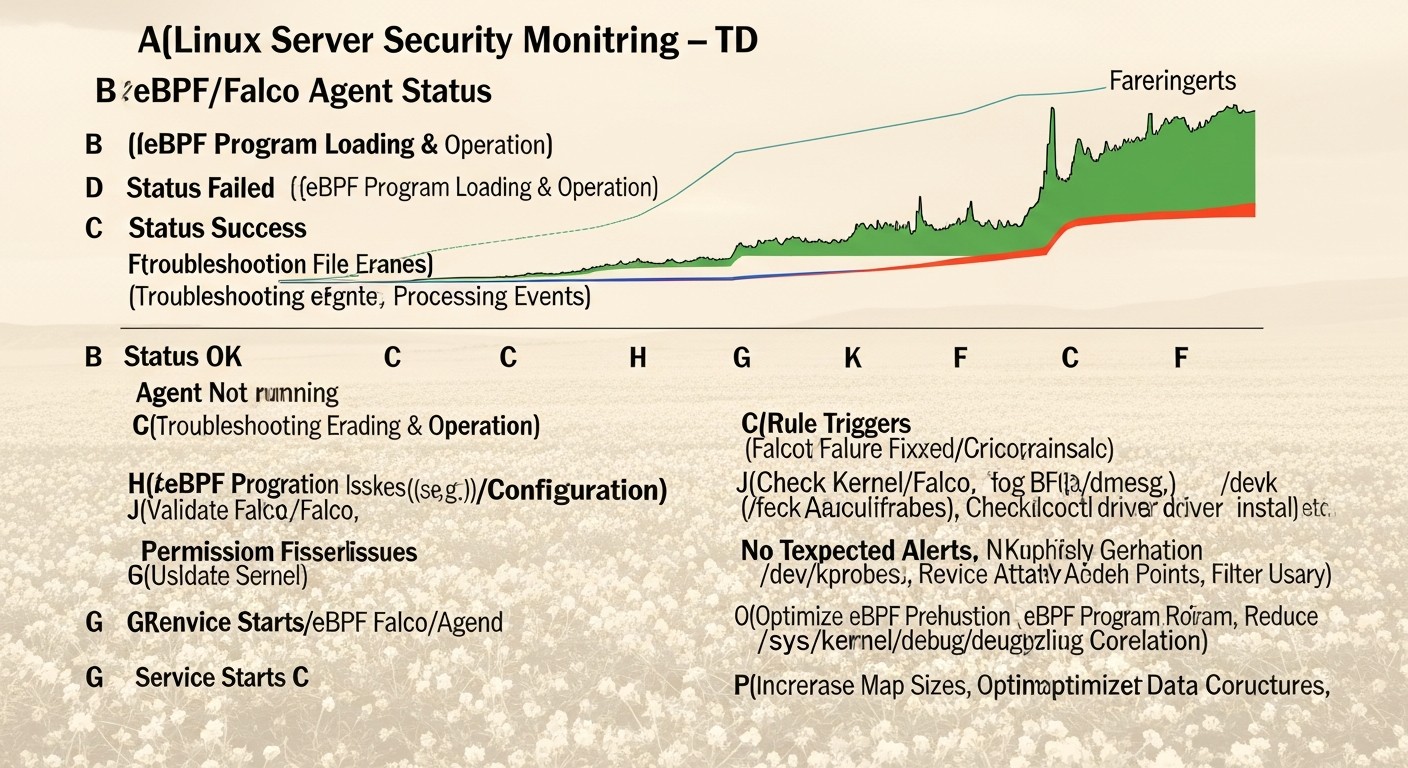
Even the most reliable systems sometimes fail or behave unexpectedly. Working with Falco and eBPF, especially across different kernel versions and Linux distributions, can come with specific challenges. Here is a list of common problems and steps for their diagnosis and resolution.

13.1. Falco Does Not Start or Receive Events

Symptoms:

  • sudo systemctl status falco shows that the service is not active or is in a failed state.
  • Falco logs (sudo journalctl -u falco -f) contain errors related to the driver or kernel.
  • Falco starts but does not generate any alerts, even for obvious actions.

Possible Causes and Solutions:

  1. Falco Driver Issues (eBPF/kernel module):
    • Kernel Incompatibility: Your kernel might be too old or have a non-standard configuration. Check your kernel version (uname -r) and ensure it is supported by Falco.
    • Missing Kernel Headers: Headers are required to build the driver. Install them:
      
      # Ubuntu/Debian
      sudo apt install -y linux-headers-$(uname -r)
      # CentOS/RHEL
      sudo yum install -y kernel-devel-$(uname -r)
      
    • Driver Loading Error: Try manually reinstalling the driver:
      
      sudo falco-driver-loader unload
      sudo falco-driver-loader install
      sudo systemctl restart falco
      
      Check the status: sudo falco-driver-loader status. Ensure it shows eBPF probe is loaded or Kernel module is loaded. If Falco cannot load the eBPF driver, it will attempt to use the kernel module.
    • SELinux/AppArmor: These systems can block driver loading. Temporarily disable them for diagnosis (if possible in a test environment) or check their logs (sudo ausearch -c falco for SELinux, sudo dmesg | grep DENIED for AppArmor).
  2. Errors in Falco Configuration (falco.yaml) or Rules:
    • Incorrect YAML syntax. Check: sudo falco --validate.
    • Rules are too specific and do not trigger on test actions. Run Falco in audit mode: sudo falco -A and see what events it observes.
    • Rule files are inaccessible or incorrectly specified. Check the paths in rules_file.
  3. Permission Issues: Ensure that the user running Falco (usually falco) has the necessary access rights to /dev/falco, /dev/sysdig*, or eBPF maps.

13.2. Too Many False Positives

Symptoms:

  • Constant alerts about legitimate activity, flooding alert channels.
  • Difficult to distinguish real threats from normal system behavior.

Possible Causes and Solutions:

  1. Overly Broad Rules:
    • Rule Tuning: Add exceptions (and not ...) to rule conditions for legitimate processes, users, directories, or files. For example, if apt constantly triggers on "Write to Sensitive Directory", add and not proc.name in (package_management_binaries).
    • Use Macros and Lists: This helps manage complexity and apply exceptions centrally.
    • Increase Specificity: Instead of "any write to /etc", use "write to /etc/passwd and not proc.name=useradd".
  2. Insufficient Context:
    • Ensure Falco receives sufficient contextual information (container ID, username, process name). This will allow for the creation of more precise rules.
  3. Incorrect Priority Level: Some rules might be too aggressive for INFO or WARNING levels. Lower their priority or disable them if they are not critical.

13.3. Performance Issues

Symptoms:

  • High CPU or RAM consumption by the falco process.
  • Noticeable slowdown of applications on the server after Falco installation.

Possible Causes and Solutions:

  1. Excessive Number of Rules or Very Complex Rules:
    • Rule Optimization: Simplify complex rules, use macros. Remove unused rules.
    • Avoid Regular Expressions: Regular expressions can be resource-intensive. Use contains, startswith, endswith, =, in, not in where possible.
    • Limit Data Collection: If you are using plugins, ensure they collect only necessary data.
  2. Kernel and eBPF Version:
    • Older kernels may have a less optimized eBPF JIT compiler. Update the kernel to a newer version (5.x+).
  3. High System Load:
    • On very high-load systems, Falco may consume more resources. Ensure you have sufficient CPU/RAM.
    • Consider using "lighter" rules or aggregating events at a higher level.

13.4. Alerts Not Reaching SIEM/Alerting System

Symptoms:

  • Falco generates alerts locally (in log files), but they do not appear in Slack, PagerDuty, Elasticsearch, etc.

Possible Causes and Solutions:

  1. Falco Sidekick (or Other HTTP Handler) Issues:
    • Incorrect URL: Check http_output.url in falco.yaml. Ensure that the IP address and port of Falco Sidekick (or another handler) are accessible from the Falco server.
    • Falco Sidekick Not Running/Accessible: Check the status of the Falco Sidekick service. Ensure its port is open in the firewall.
    • Falco Sidekick Configuration Errors: Check Falco Sidekick logs. It might not be able to connect to the target system (Slack, Elasticsearch) due to incorrect tokens, URLs, or network issues.
  2. Network/Firewall Issues:
    • Ensure that traffic from Falco to Falco Sidekick (or from Falco Sidekick to the target system) is not blocked by the firewall (iptables, ufw, Security Groups in the cloud).
    • Check network connectivity using ping, curl, or telnet.

13.5. Diagnostic Commands

  • sudo systemctl status falco: Check service status.
  • sudo journalctl -u falco -f: View Falco logs in real time.
  • sudo falco --validate: Validate rule syntax.
  • sudo falco -A: Run Falco in audit mode to view all events.
  • sudo falco-driver-loader status: Check driver status.
  • lsmod | grep falco: Check if the Falco kernel module is loaded (if eBPF is not used).
  • dmesg | grep falco: View kernel messages related to Falco.
  • ss -tulnp | grep falco: Check if Falco is listening on any ports (if an HTTP server is configured).

When to Contact Support (or the Community)

If the problem is not resolved after following all these steps, do not hesitate to seek help:

  • Falco Community Slack: The #falco channel in CNCF Slack. Provide as much information as possible: Falco version, kernel version, OS distribution, logs, configuration, steps to reproduce the issue.
  • GitHub Issues: If you are confident that you have found a bug in Falco itself or its driver, create an issue in the official GitHub repository.

Remember that a detailed description of the problem and providing relevant logs significantly speeds up the diagnosis and resolution process.

14. FAQ: Frequently Asked Questions

What is eBPF and how does it differ from traditional kernel modules?

eBPF is a technology that allows user code to be safely executed in the Linux kernel space. Unlike traditional kernel modules, eBPF programs undergo strict verification before loading, which guarantees their security and prevents kernel crashes. They operate in a sandbox, do not require kernel recompilation, and can be loaded/unloaded on the fly. This ensures high performance and flexibility without the risks inherent in ordinary modules.

Why do I need Falco if I already have Auditd?

Linux Auditd is a powerful security auditing tool built into the kernel. However, Falco offers several advantages: a simpler and more flexible rule language (YAML versus Auditd's complex syntax), deep integration with container environments (Kubernetes context), and extensive out-of-the-box integration capabilities with SIEM and alerting systems via Falco Sidekick. Falco also focuses on real-time behavioral analysis, not just event logging.

How does Falco affect server performance?

Thanks to the eBPF driver, Falco ensures very low performance overhead. eBPF programs execute directly in the kernel, minimizing context switches and passing only relevant events to Falco's user space. In most scenarios, Falco's CPU consumption is 1-3%, and RAM is 50-100 MB. This makes it ideal for use on VPS and dedicated servers, where every resource counts.

Can Falco protect against zero-day attacks?

Yes, Falco is capable of detecting zero-day attacks thanks to its behavioral approach. Instead of relying on signatures of known threats, Falco analyzes system behavior at the syscall level. If an attack (even an unknown one) involves anomalous actions, such as writing to critical files from an unusual process, launching unauthorized executables, or creating unusual network connections, Falco will be able to detect it and generate an alert.

Can Falco be used for active threat prevention (IPS)?

Falco is primarily a threat detection tool (IDS). It generates alerts but does not block activity on its own. However, through integration with SOAR platforms or custom scripts, automated responses can be configured based on Falco alerts, such as blocking an IP address, isolating a container, or terminating a process. Thus, Falco can become part of a prevention system.

How often should Falco and its rules be updated?

It is recommended to regularly update Falco to the latest stable versions to receive bug fixes, performance improvements, and new features. Falco rules should also be updated, as the Falco Security team constantly adds new rules to detect current threats. Additionally, you should regularly review and tune your custom rules, adapting them to changes in your infrastructure and new attack vectors.

How does Falco work in container environments (Docker, Kubernetes)?

Falco integrates seamlessly with container environments. It runs on the host (or as a DaemonSet in Kubernetes) and uses eBPF to monitor all syscalls occurring on that host, including those originating from containers. Falco automatically enriches events with Kubernetes contextual information (pod name, namespace, container ID, labels), allowing for the creation of rules specific to containers and clusters.

Do I need other security tools if I have Falco?

Falco is a powerful tool for Runtime Security on the host, but it is not a panacea. It complements, rather than replaces, other layers of defense: firewalls (WAF, network), antivirus software, vulnerability scanners, patch management systems, access control tools, and SIEM systems. A comprehensive security strategy always includes multi-layered protection.

Can I write my own rules for Falco?

Yes, this is one of Falco's key features. You can create your own rules, macros, and lists using a simple and clear YAML syntax. This allows you to adapt Falco to the specific needs of your infrastructure and protect against unique threats that may not be covered by standard rules. The Falco documentation contains a detailed guide on creating rules.

What are the minimum Linux kernel requirements for Falco with eBPF?

To use the eBPF driver, Falco requires a Linux kernel version 4.14 or newer. However, for optimal performance and access to all eBPF features, it is recommended to use kernel versions 5.x and above. If the eBPF driver cannot be loaded, Falco will automatically attempt to use an older, but still effective, kernel module-based driver, which is supported by a wider range of kernel versions.

15. Conclusion

In the constantly evolving landscape of cyber threats in 2026, where traditional defense mechanisms can no longer cope with the dynamics of attacks and the complexity of distributed infrastructures, eBPF and Falco represent not just another set of tools, but a fundamental shift in the approach to Linux system security. We have explored how eBPF provides unprecedented visibility into the kernel with minimal overhead, and how Falco, leveraging this power, transforms raw system events into meaningful real-time threat alerts.

This combination allows DevOps engineers, backend developers, system administrators, and SaaS project founders to gain deep, behavioral analysis of activity on their VPS and dedicated servers. From detecting zero-day exploits and insider threats to monitoring containers in Kubernetes, Falco with eBPF provides a critically important layer of defense that was previously only available in expensive commercial EDR solutions.

We have thoroughly examined the main selection criteria, compared Falco with alternatives, provided step-by-step installation and configuration instructions, and shared valuable tips for creating rules and integrating with existing systems. The economic analysis showed that, despite the need for investment in human resources and infrastructure for logs, Falco remains a significantly more cost-effective solution in the long term, especially at scale.

Final Recommendations:

  • Don't delay implementation: Threats don't wait. Start with a pilot implementation of Falco on a few non-critical servers.
  • Use eBPF: Always prioritize Falco's eBPF driver due to its security and performance. Update your kernel if necessary.
  • Invest in expertise: Your engineers are your main asset. Train them to work with Falco and eBPF; it will pay off handsomely.
  • Tuning is a process: Don't expect perfect operation immediately. Continuously tune rules to minimize false positives and maximize the detection of real threats.
  • Integrate: Falco should be integrated into your monitoring, alerting, and response ecosystem. Falco Sidekick is your best friend here.
  • Don't forget multi-layering: Falco is a powerful layer of defense, but it works best in conjunction with other security tools.

Next steps for the reader:

  1. Analyze your current infrastructure and identify the most critical points for protection.
  2. Start by installing Falco on a test VPS, using the recommendations from this article.
  3. Study the standard rules and try to create some of your own, specific to your applications.
  4. Configure integration with your favorite alerting system (Slack, PagerDuty).
  5. Actively participate in the Falco community, share your experience, and learn from others.

Implementing Falco with eBPF is not just a step towards improving security; it's an investment in the resilience and reliability of your infrastructure for the future. It will allow you not only to detect threats but also to deeply understand what is happening in your systems, giving you control and confidence in the digital world of 2026.

Was this guide helpful?

eBPF and Falco for Linux security on VPS and dedicated servers: real-time threat detection
support_agent
Valebyte Support
Usually replies within minutes
Hi there!
Send us a message and we'll reply as soon as possible.