info
Need a server for this guide? We offer dedicated servers and VPS in 50+ countries with instant setup.
Need a server for this guide?
Deploy a VPS or dedicated server in minutes.
Unified Authentication System (SSO) for Internal and External Services on VPS/Dedicated: Keycloak and OpenID Connect
TL;DR
- Keycloak — a powerful and flexible SSO solution with open source, ideally suited for self-deployment on VPS/Dedicated servers, providing full control over data and security.
- OpenID Connect (OIDC) — a modern authentication protocol, built on OAuth 2.0, which Keycloak uses for reliable and standardized user identification across various services.
- Self-deployment of Keycloak significantly reduces operational costs compared to cloud IDaaS providers, especially for projects with a large number of users or specific compliance requirements.
- Integration with internal and external services becomes unified and secure, whether it's microservices in Python/Node.js/Go, web applications in PHP, or administrative panels.
- Scaling and high availability of Keycloak are achieved through clustering and the use of an external database, which is critically important for growing SaaS projects by 2026.
- Compliance and data security are enhanced by full control over the infrastructure, which is especially valuable for companies working with sensitive data.
- Mastering Keycloak requires a time investment, but pays off with flexibility, functionality, and long-term savings, providing a reliable foundation for identity and access management.
Introduction: Why SSO is not a luxury, but a necessity in 2026
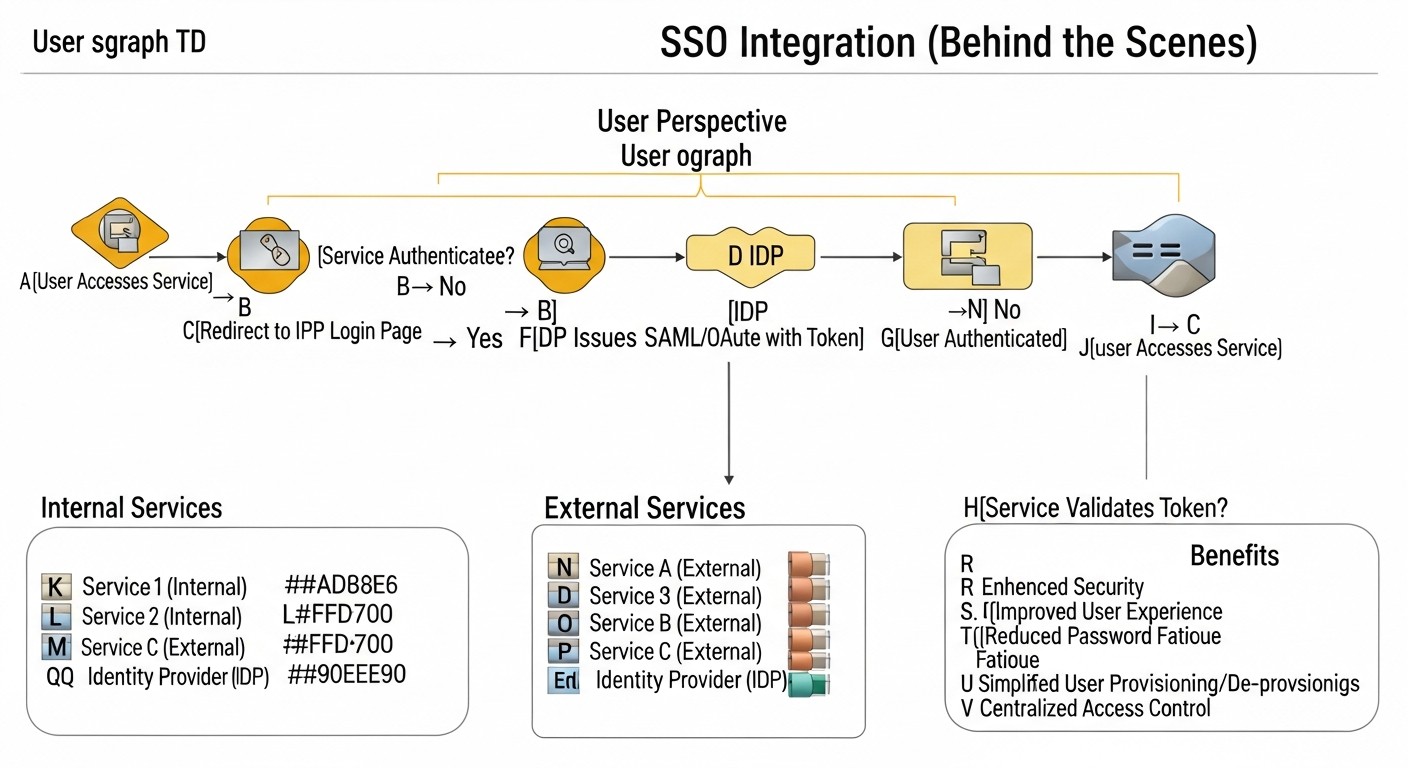 Diagram: Introduction: Why SSO is not a luxury, but a necessity in 2026
In the rapidly evolving digital world of 2026, where the number of services and applications used is growing exponentially, managing authentication and authorization becomes one of the key challenges for any company. From small startups to large enterprises, everyone faces the problem of ensuring the security, convenience, and efficiency of access to their resources. This is where Single Sign-On (SSO) comes into play — a technology that allows users to log into multiple independent systems using a single set of credentials.
Why is this topic so important specifically in 2026? Firstly, the cyber threat landscape is constantly evolving. Phishing attacks, data breaches, brute-force password attacks — all of this requires more robust protection mechanisms than just a unique password for each service. SSO, especially when combined with multi-factor authentication (MFA), significantly increases the overall level of security. Secondly, user experience. Imagine a DevOps engineer or a backend developer who switches between dozens of tools daily: GitLab, Jira, Confluence, Grafana, internal control panels, test environments. The need to enter a login and password every time not only takes up valuable time but also leads to "password fatigue," forcing users to choose simple, easy-to-remember (and easily hackable) passwords or use the same credentials everywhere. SSO solves this problem by making the login process seamless and less tedious.
For SaaS project founders and startup CTOs, SSO is not just a convenience but a strategic advantage. It allows for faster onboarding of new employees, reduces the load on support services for password resets, and, most importantly, creates a professional and secure image for external clients if SSO extends to client portals. System administrators gain centralized control over access, simplifying rights management and compliance with regulatory requirements, which are becoming increasingly stringent.
This article is dedicated to a detailed analysis of SSO implementation based on Keycloak and the OpenID Connect (OIDC) protocol. We will focus on deployment scenarios on VPS or dedicated servers, which provides full control over infrastructure, data, and cost, unlike proprietary cloud solutions. We will examine how Keycloak, as a powerful and flexible open-source solution, allows building a unified authentication system for both internal tools (CI/CD, monitoring, admin panels) and external client services, while ensuring a high level of security and scalability. The article is written for those who value a practical approach, concrete examples, and strive to create a reliable and efficient IT infrastructure in the realities of 2026.
Key Criteria and Factors for Choosing an SSO Solution
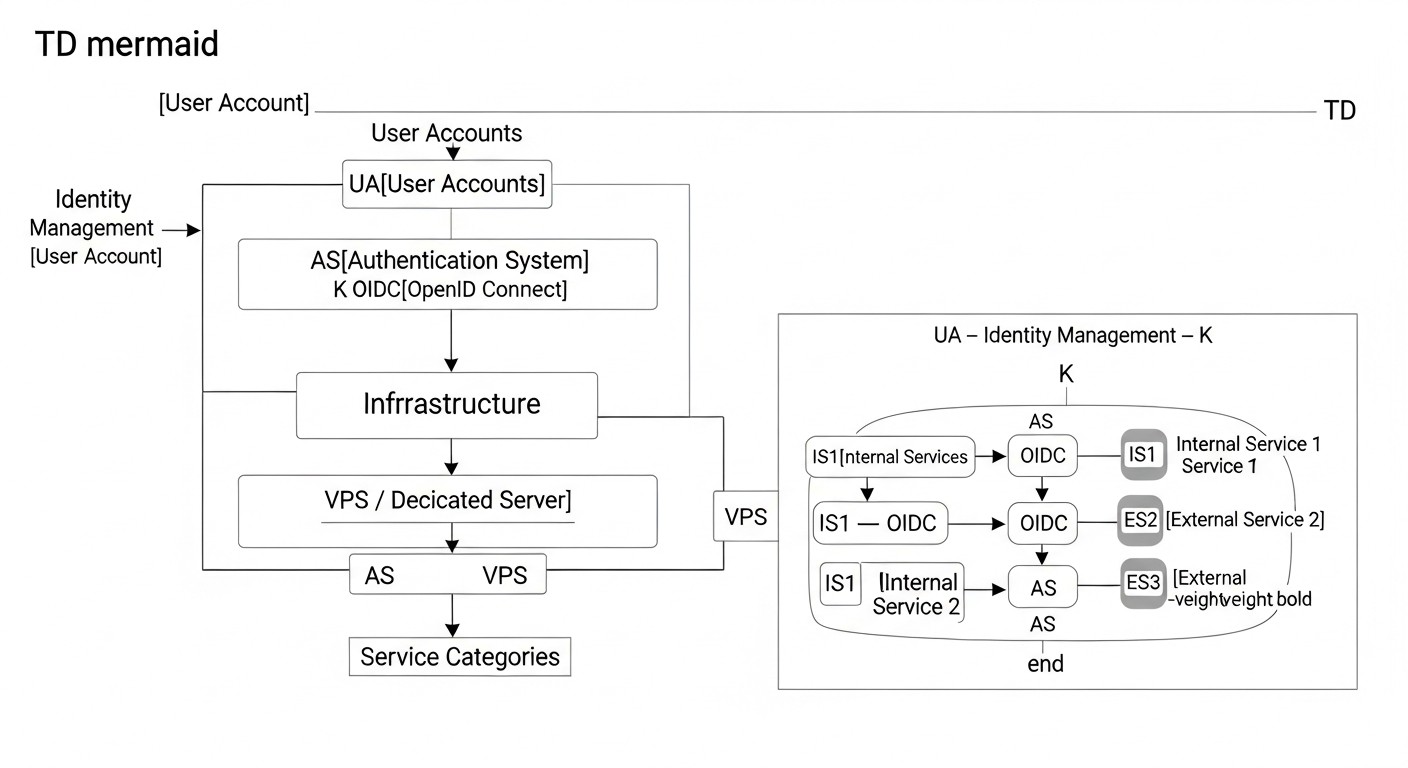 Diagram: Key Criteria and Factors for Choosing an SSO Solution
Choosing the right Single Sign-On (SSO) solution is not just a technical decision, but a strategic investment in the security, efficiency, and scalability of your infrastructure. In 2026, as cyber threats become more sophisticated and user experience demands grow, it is crucial to carefully weigh all pros and cons. Below are the key criteria to consider when selecting an SSO system, especially for deployment on VPS/Dedicated servers.
Security
Security is the cornerstone of any authentication system. By 2026, this means not just storing password hashes, but also supporting modern protocols such as OpenID Connect (OIDC) and OAuth 2.0, SAML 2.0. The presence of multi-factor authentication (MFA) features is important — support for TOTP, WebAuthn (FIDO2), SMS/Email OTP, as well as the ability to integrate with hardware tokens. The solution should provide robust mechanisms for session management, protection against CSRF, XSS, and other common web vulnerabilities. The ability to audit all authentication and authorization events, log login attempts, permission changes, and other sensitive operations is also critical. For VPS/Dedicated, this means you are responsible for the security of the OS itself and the network environment, but Keycloak provides powerful tools for application-level protection.
Scalability and Performance
Any successful project grows, and an SSO system must be ready for this growth. Scalability means the system's ability to handle a growing number of users, concurrent requests, and integrated applications without performance degradation. For Keycloak, this is achieved through clustering (support for multiple instances behind a load balancer) and the use of a high-performance external database (PostgreSQL, MySQL). It is important to assess how the solution will behave under peak loads, how many resources (CPU, RAM, I/O) it consumes, and how effectively it uses caching. In 2026, with microservice architectures dominating, an SSO system must be capable of handling millions of requests per day.
Flexibility and Integration Capabilities
Modern IT ecosystems consist of many heterogeneous services, written in different languages and using various frameworks. An SSO solution must provide extensive integration capabilities. Support for standard protocols (OIDC, OAuth2, SAML) is mandatory. Keycloak excels here, offering ready-made adapters for popular frameworks (Spring Boot, Node.js, Python), as well as standard SDKs for universal integration. The ability to integrate with existing user management systems, such as LDAP/Active Directory, or custom user databases, is also important. Customization of the login interface (branding) and the ability to extend functionality through plugins or custom providers are valuable bonuses.
Manageability and Operations (Ops)
The choice of an SSO solution directly impacts the operational load on DevOps and system administrators. Ease of installation, configuration, and updates are key factors. The presence of a convenient administrative interface (GUI) and a powerful CLI (e.g., kcadm.sh in Keycloak) significantly simplifies daily tasks. System status monitoring, logging, and the ability to back up and restore data — all of these must be well-thought-out. For VPS/Dedicated deployment, good documentation and support for containerization (Docker, Kubernetes) are important for simplifying deployment and management.
Compliance and Regulatory Requirements
In 2026, data privacy and compliance with regulatory requirements (GDPR, CCPA, HIPAA, etc.) are more critical than ever. An SSO system deployed on your own servers provides full control over data location and processing, which simplifies compliance with these requirements. The ability to implement data retention policies, manage user consents, and transparency in personal data processing are critically important. Keycloak allows configuring these aspects, and owning the infrastructure provides additional confidence in compliance.
Total Cost of Ownership (TCO)
Total Cost of Ownership includes not only licensing fees (which Keycloak does not have) but also infrastructure costs (VPS/Dedicated), human resources (time for implementation, support, updates), and hidden costs (staff training, potential downtime due to errors). Although Keycloak is free, its deployment and support require qualified engineers. It is important to compare these costs with those of proprietary cloud IDaaS services, which often have high rates as the number of users grows. For projects with a large number of users or a long-term perspective, Keycloak's TCO often turns out to be significantly lower.
A thorough evaluation of these criteria will allow you to choose an SSO solution that not only meets your company's current needs but also serves as a reliable foundation for its growth and development in the coming years.
Comparison Table: Keycloak vs. Alternatives
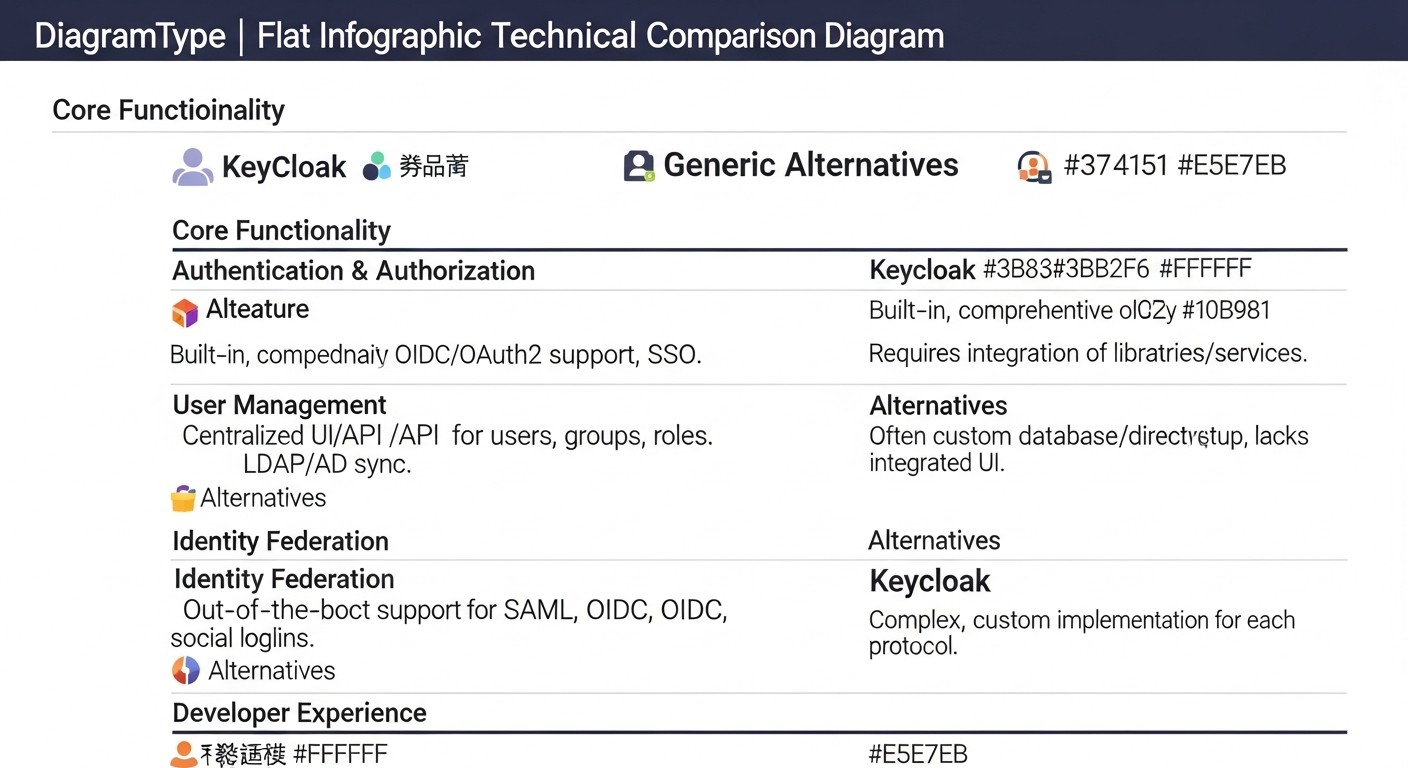 Diagram: Comparison Table: Keycloak vs. Alternatives
Choosing an Identity and Access Management (IAM) system is a strategic decision that impacts security, scalability, and operational costs. In 2026, the market offers a multitude of solutions, from fully managed cloud services to flexible open-source products that can be self-deployed. Below is a comparison table of Keycloak with its main competitors and alternatives, with a focus on VPS/Dedicated scenarios.
Note: Prices and characteristics are current as of early 2026 and may vary depending on region, volume, and specific vendor terms.
| Criterion |
Keycloak (Self-Hosted) |
Auth0 (Cloud IDaaS) |
Okta (Cloud IDaaS) |
Custom Solution (In-house developed) |
Authelia / Dex (Self-Hosted, Lighter) |
| Deployment Model |
VPS/Dedicated, Kubernetes (full control) |
Fully cloud-based (SaaS) |
Fully cloud-based (SaaS) |
VPS/Dedicated, Kubernetes (full control) |
VPS/Dedicated, Docker (lightweight) |
| Cost (estimate 2026) |
0 USD (license) + ~50-300 USD/month (infrastructure) + ~2000-5000 USD/month (Ops/Dev time) |
From 250 USD/month (Developer) to 15000+ USD/month (Enterprise) for 10k-100k MAU |
From 150 USD/month (Basic) to 10000+ USD/month (Enterprise) for 10k-100k MAU |
High initial costs (development) + ~50-300 USD/month (infrastructure) + ~3000-8000 USD/month (Ops/Dev time) |
0 USD (license) + ~30-150 USD/month (infrastructure) + ~1000-3000 USD/month (Ops/Dev time) |
| Protocol Support |
OpenID Connect, OAuth 2.0, SAML 2.0, LDAP, Kerberos |
OpenID Connect, OAuth 2.0, SAML 2.0, WS-Fed, LDAP, AD |
OpenID Connect, OAuth 2.0, SAML 2.0, WS-Fed, LDAP, AD |
Depends on implementation (usually OIDC/OAuth2) |
OpenID Connect, OAuth 2.0, LDAP |
| Multi-Factor Authentication (MFA) |
TOTP, WebAuthn (FIDO2), SMS/Email OTP, FreeOTP, Duo, YubiKey (via plugins) |
TOTP, SMS/Email OTP, Push, WebAuthn, Biometrics, Duo, YubiKey, Custom |
TOTP, SMS/Email OTP, Push, WebAuthn, Biometrics, Duo, YubiKey, Custom |
Depends on implementation (often TOTP, SMS/Email OTP) |
TOTP, Duo, WebAuthn (FIDO2) |
| User Management |
Built-in, federation with LDAP/AD, SCIM, custom providers |
Built-in, federation with LDAP/AD, SCIM, social logins, custom DBs |
Built-in, federation with LDAP/AD, SCIM, social logins, HR systems |
Built-in or integration with existing ones |
Built-in (lightweight), LDAP/AD |
| Flexibility and Customization |
High (themes, plugins, SPI, API), full control over data |
Medium (SDK, API, UI customization), limited control over infrastructure |
Medium (SDK, API, UI customization), limited control over infrastructure |
Full (but at the cost of development) |
Limited (configuration, basic themes) |
| Scalability |
High (clustering, external DB) |
Very high (cloud infrastructure) |
Very high (cloud infrastructure) |
Depends on architecture and implementation |
Medium (clustering, external DB, but less mature) |
| Implementation/Support Complexity |
High (requires deep knowledge) |
Low-Medium (ready-made SDKs, SaaS model) |
Low-Medium (ready-made SDKs, SaaS model) |
Very high (from scratch) |
Low-Medium (simple configuration) |
| Compliance/Data Control |
Full control (data hosting, policies) |
Depends on provider (region, certifications) |
Depends on provider (region, certifications) |
Full control (if implemented) |
Full control (data hosting, policies) |
Brief conclusions from the comparison:
- Keycloak: Ideal for companies that need full control over infrastructure and data, high flexibility and customization, and the ability to reduce long-term operational costs, despite higher initial investments in expertise and deployment. Excellent for VPS/Dedicated and Kubernetes environments.
- Auth0 / Okta: An excellent choice for companies that want to quickly implement SSO without the need to manage IAM infrastructure. High cost as the number of users grows and less control over data are the main drawbacks.
- Custom Solution: Suitable only for very specific requirements that cannot be met by off-the-shelf solutions, or for companies with vast resources for development and support. In most cases, it is impractical due to cost and security risks.
- Authelia / Dex: A good option for simpler scenarios where lightweight SSO is required for several internal services. Fewer features than Keycloak, but also easier to deploy and support. Can be a good starting point for small teams.
For SaaS project founders, startup CTOs, and DevOps engineers who value control, security, and cost-effectiveness in the long term, Keycloak represents the most attractive solution for deployment on their own infrastructure.
Detailed Overview of Keycloak and OpenID Connect
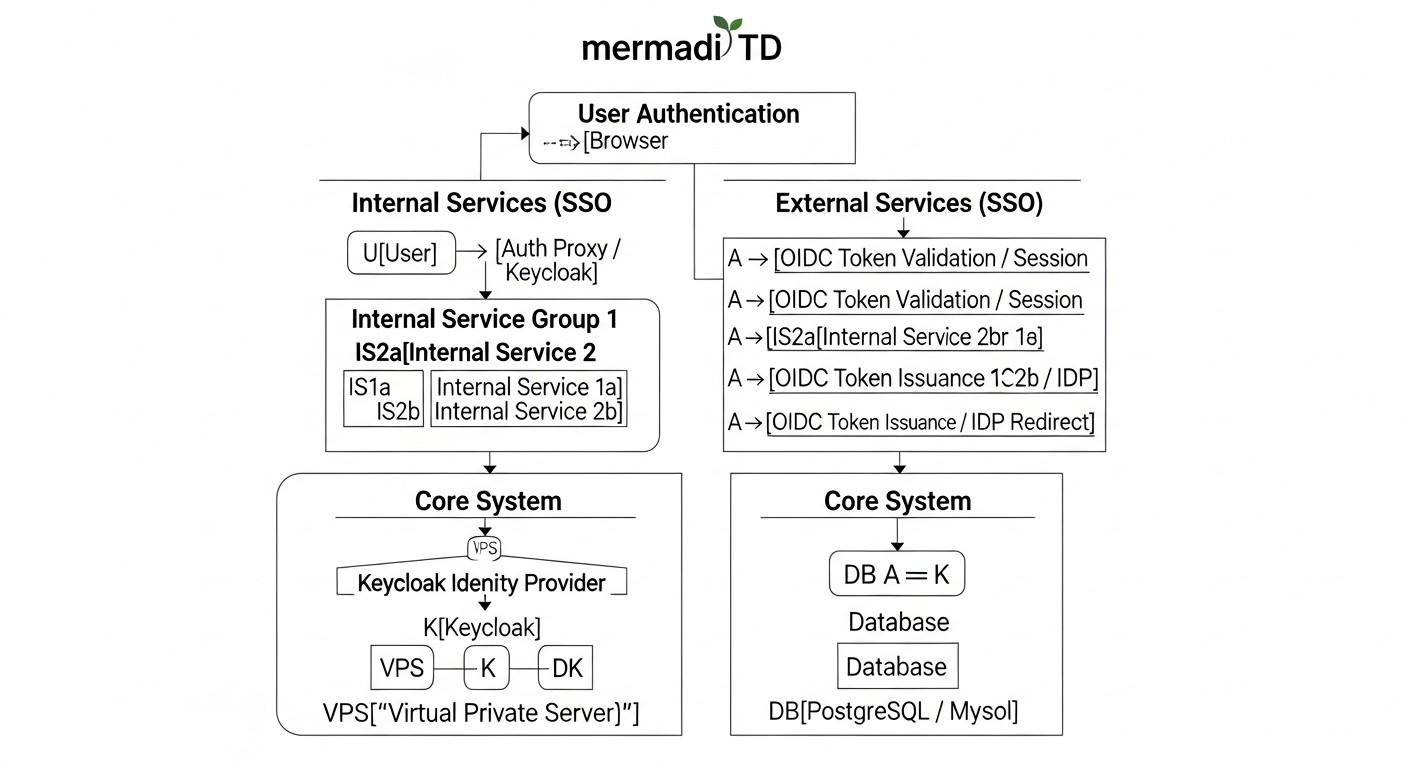 Diagram: Detailed Overview of Keycloak and OpenID Connect
To effectively use Keycloak for building a unified authentication system, a deep understanding of its architecture, key concepts, and how it interacts with the OpenID Connect protocol is essential. This section provides a detailed overview of these components.
What is Keycloak?
Keycloak is an open-source Identity and Access Management (IAM) solution developed by JBoss (part of Red Hat). It provides Single Sign-On (SSO) functionality for web applications and RESTful services, user management, identity federation, multi-factor authentication (MFA), and much more. Keycloak is built on the Java stack and runs on the WildFly application server, using an internal or external database to store its configurations and user data.
Key Keycloak Concepts:
- Realms: These are isolated spaces that manage a set of users, applications (clients), and authentication settings. Each realm has its own set of users, roles, clients, and policies. This allows a single Keycloak instance to be used for multiple independent projects or organizations without mixing their data. For example, one realm for internal company services, another for external SaaS product clients.
- Clients: A client in Keycloak is any application or service that wants to use Keycloak for user authentication. Clients can be public (e.g., SPA — Single Page Applications) or confidential (e.g., backend services), requiring the storage of a client secret. Each client is registered in a specific realm and configured with specific protocols (OIDC, SAML) and access rights.
- Users: These are entities that authenticate with Keycloak. Users can be created manually, imported, or synchronized from external systems such as LDAP or Active Directory. Each user has credentials (password, TOTP) and attributes.
- Roles: Keycloak supports roles for authorization. Roles can be realm-level (available to all clients in the realm) or client-level (specific to a particular client). Roles are assigned to users or groups of users.
- Identity Providers (IdP): Keycloak can act as a broker for external IdPs, such as Google, GitHub, Facebook, or other Keycloak instances, as well as SAML providers. This allows users to log into your applications using their existing accounts from other systems.
- Authentication Flows: Keycloak provides flexible authentication flows, allowing you to configure the steps a user must complete for a successful login (e.g., username/password, then MFA, then consent to access).
What is OpenID Connect (OIDC)?
OpenID Connect (OIDC) is a simple identity layer built on top of the OAuth 2.0 authorization protocol. It allows clients to verify the identity of the end-user based on authentication performed by an authorization server, as well as to obtain basic profile information about the end-user in an interoperable manner. OIDC is the de facto standard for modern web authentication.
Key Features of OIDC:
- Identity Token (ID Token): This is the central element of OIDC. An ID Token is a JSON Web Token (JWT) that contains information about the user (e.g.,
sub - user identifier, name, email) and the authentication time. It is signed by the authorization server (Keycloak) and can be verified by the client to confirm the user's identity.
- Access Token: Used by the client to access protected resources on a resource server (API). An Access Token is also a JWT, but its content and expiration time may differ from an ID Token. It is not intended for user identification, but for authorizing access to an API.
- Refresh Token: A long-lived token used by the client to obtain new Access Tokens and ID Tokens after their expiration, without requiring the user to re-authenticate.
- UserInfo Endpoint: An endpoint on the authorization server that provides a standardized set of user information (claims), accessed using an Access Token.
OIDC Authentication Flows Supported by Keycloak:
OIDC defines several flows for different use cases:
-
Authorization Code Flow:
This is the most secure and recommended flow for confidential clients (e.g., traditional server-side web applications) and public clients that can reliably store a secret (e.g., mobile applications with PKCE). The client redirects the user to Keycloak for authentication. After successful authentication, Keycloak returns a one-time authorization code to the client via a redirect. The client then exchanges this code for an Access Token, ID Token, and Refresh Token by making a direct request to Keycloak using its client secret. This exchange happens on the backend, preventing token leakage in the browser.
Example Usage: Backend applications in Python/Django, Node.js/Express, Go/Gin, PHP/Laravel, where the server-side application acts as a Keycloak client and can securely store a secret.
-
Implicit Flow:
Previously used for public clients, such as SPA (Single Page Applications) in JavaScript. In this flow, tokens (ID Token, Access Token) are returned directly in the browser via a URL fragment after user authentication. This flow is considered less secure, as tokens can be intercepted from browser history or via XSS attacks. As of 2026, its use is not recommended in favor of the Authorization Code Flow with PKCE.
Example Usage (deprecated): SPAs in Angular/React/Vue that receive tokens directly.
-
Hybrid Flow:
A combination of Authorization Code Flow and Implicit Flow. It allows the client to receive some tokens (e.g., ID Token) directly via a redirect, and other tokens (Access Token, Refresh Token) through an authorization code exchange. This can be useful for some complex scenarios where immediate access to the ID Token is required, but the security of the Refresh Token is also needed. However, with the advent of PKCE, its use is also decreasing.
Example Usage: Specific scenarios requiring immediate user information but retaining the ability to refresh tokens.
-
Authorization Code Flow with PKCE (Proof Key for Code Exchange):
This is the recommended flow for public clients (SPAs, mobile, and desktop applications) as of 2026. PKCE adds an additional layer of security to the Authorization Code Flow, preventing authorization code interception attacks. The client generates a secret code_verifier and its hash code_challenge. The code_challenge is sent with the authorization request, and the code_verifier is used when exchanging the authorization code for tokens. Keycloak verifies the match between the code_verifier and code_challenge. This makes it impossible to use an intercepted authorization code without knowing the code_verifier.
Example Usage: Modern SPAs in React, Angular, Vue, mobile applications, desktop applications.
Understanding these flows and Keycloak concepts is critically important for the correct and secure integration of your services. Keycloak provides a powerful and flexible mechanism for implementing all these scenarios, making it an ideal choice for complex authentication systems on VPS/Dedicated.
Practical Tips and Recommendations for Keycloak Implementation
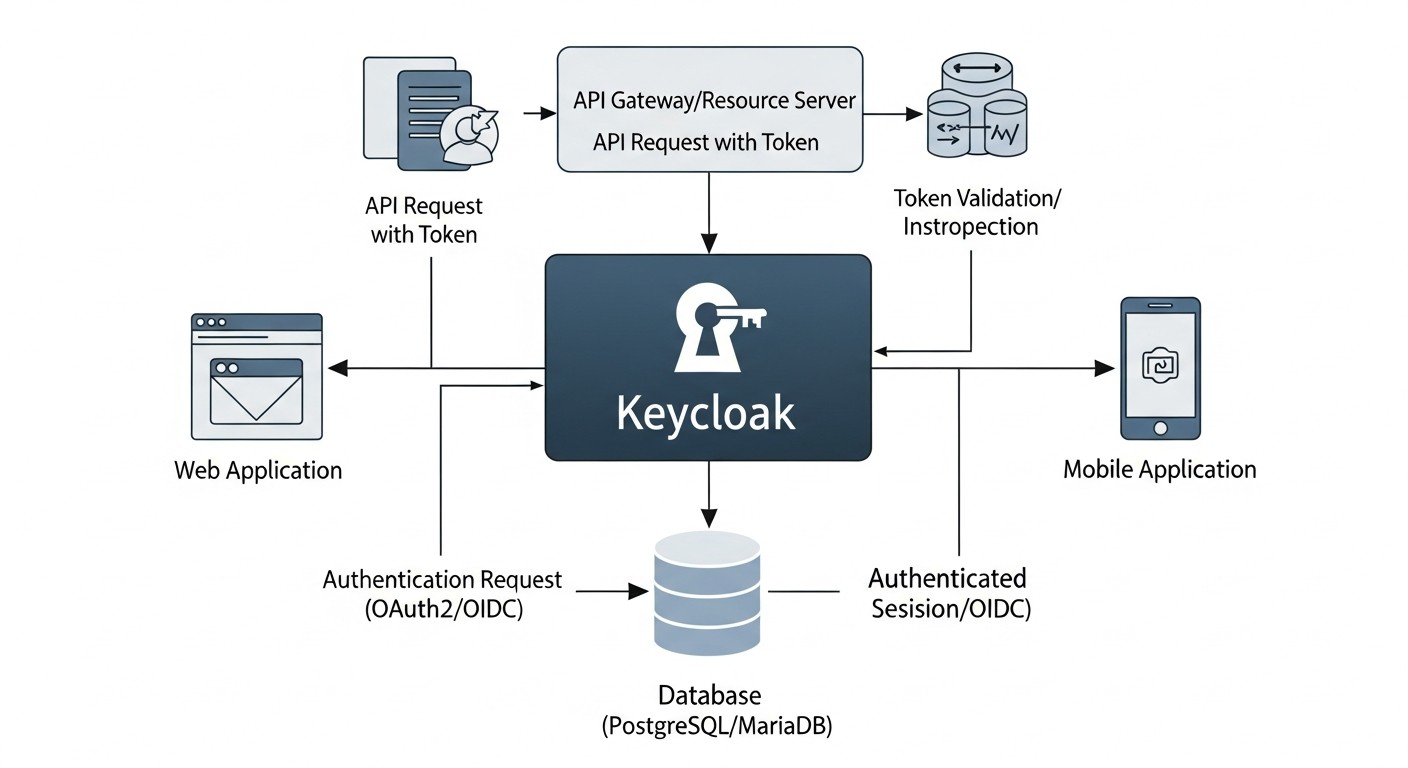 Diagram: Practical Tips and Recommendations for Keycloak Implementation
Implementing Keycloak on VPS/Dedicated servers requires a systematic approach and attention to detail. This section provides step-by-step instructions, commands, and practical recommendations based on real-world experience in deploying SSO systems.
1. Infrastructure Selection and Preparation
Before proceeding with the installation, you need to define your infrastructure. For a production environment in 2026, a minimum of 2-4 vCPUs, 8-16 GB RAM, and a fast SSD for the database and Keycloak itself are recommended. Use a modern Linux distribution (Ubuntu 24.04 LTS, CentOS Stream 9) and ensure all packages are updated.
# System update
sudo apt update && sudo apt upgrade -y

# Install Docker and Docker Compose (recommended for simplicity)
sudo apt install ca-certificates curl gnupg lsb-release -y
sudo mkdir -p /etc/apt/keyrings
curl -fsSL https://download.docker.com/linux/ubuntu/gpg | sudo gpg --dearmor -o /etc/apt/keyrings/docker.gpg
echo "deb [arch=$(dpkg --print-architecture) signed-by=/etc/apt/keyrings/docker.gpg] https://download.docker.com/linux/ubuntu $(lsb_release -cs) stable" | sudo tee /etc/apt/sources.list.d/docker.list > /dev/null
sudo apt update
sudo apt install docker-ce docker-ce-cli containerd.io docker-compose-plugin -y
sudo usermod -aG docker $USER # Add user to docker group
# Reload session or log out/in to apply changes
2. Installing Keycloak with Docker Compose
Using Docker Compose is the simplest and most reliable way to deploy Keycloak along with its database. PostgreSQL is recommended.
# docker-compose.yml
version: '3.8'

services:
  postgres:
    image: postgres:15-alpine
    container_name: keycloak-db
    environment:
      POSTGRES_DB: keycloak
      POSTGRES_USER: keycloak
      POSTGRES_PASSWORD: ${KC_DB_PASSWORD} # Use an environment variable
    volumes:
      - ./postgres_data:/var/lib/postgresql/data
    ports:
      - "5432:5432" # For debugging only, in production it's better not to expose or restrict access
    restart: unless-stopped

  keycloak:
    image: quay.io/keycloak/keycloak:23.0.7 # Current version as of early 2026
    container_name: keycloak
    environment:
      KC_DB: postgres
      KC_DB_URL_HOST: postgres
      KC_DB_USERNAME: keycloak
      KC_DB_PASSWORD: ${KC_DB_PASSWORD}
      KC_HOSTNAME: your.keycloak.domain.com # Your Keycloak domain name
      KC_HOSTNAME_STRICT: "true"
      KC_PROXY: edge # Important for working behind a reverse proxy
      KC_HTTP_PORT: 8080
      KC_HTTPS_PORT: 8443
      KEYCLOAK_ADMIN: admin
      KEYCLOAK_ADMIN_PASSWORD: ${KC_ADMIN_PASSWORD} # Use an environment variable
      KC_FEATURES: token-exchange,admin-fine-grained-authz # Enable required features
      KC_METRICS_ENABLED: "true" # For monitoring
      KC_OPTIMIZED: "true" # For production optimization
    ports:
      - "8080:8080" # Internal HTTP port for Keycloak
      - "8443:8443" # Internal HTTPS port for Keycloak
    depends_on:
      - postgres
    restart: unless-stopped
    command: start --optimized --http-enabled=true --https-certificate-file=/opt/keycloak/conf/server.crt --https-certificate-key-file=/opt/keycloak/conf/server.key
    volumes:
      - ./certs:/opt/keycloak/conf:ro # Mounting SSL/TLS certificates
Create a .env file in the same directory:
# .env
KC_DB_PASSWORD=your_strong_db_password
KC_ADMIN_PASSWORD=your_super_strong_admin_password
Ensure you have SSL/TLS certificates for your domain your.keycloak.domain.com (e.g., from Let's Encrypt). Place server.crt and server.key in the ./certs folder.
# Create directories
mkdir -p postgres_data certs

# Start Keycloak and PostgreSQL
docker compose up -d
3. Configuring Nginx as a Reverse Proxy and SSL Terminator
In production, Keycloak should operate behind a reverse proxy (Nginx, Apache, Caddy) that will handle SSL certificates and redirect traffic. This significantly simplifies certificate management and enhances security.
# /etc/nginx/sites-available/keycloak.conf
server {
    listen 80;
    server_name your.keycloak.domain.com;
    return 301 https://$host$request_uri;
}

server {
    listen 443 ssl http2;
    server_name your.keycloak.domain.com;

    ssl_certificate /etc/letsencrypt/live/your.keycloak.domain.com/fullchain.pem; # Path to your certificate
    ssl_certificate_key /etc/letsencrypt/live/your.keycloak.domain.com/privkey.pem; # Path to your private key
    ssl_session_cache shared:SSL:10m;
    ssl_session_timeout 10m;
    ssl_protocols TLSv1.2 TLSv1.3;
    ssl_ciphers "EECDH+AESGCM:EDH+AESGCM:AES256+EECDH:AES256+EDH";
    ssl_prefer_server_ciphers on;
    add_header X-Frame-Options "SAMEORIGIN";
    add_header X-Content-Type-Options "nosniff";
    add_header X-XSS-Protection "1; mode=block";

    location / {
        proxy_pass http://127.0.0.1:8080; # Or Docker container IP, if not on the same host
        proxy_set_header Host $host;
        proxy_set_header X-Real-IP $remote_addr;
        proxy_set_header X-Forwarded-For $proxy_add_x_forwarded_for;
        proxy_set_header X-Forwarded-Proto $scheme;
        proxy_set_header X-Forwarded-Host $host;
        proxy_redirect off;
        proxy_buffering off; # Important for SSE and WebSocket
        proxy_read_timeout 90;
    }
}
# Activate Nginx configuration
sudo ln -s /etc/nginx/sites-available/keycloak.conf /etc/nginx/sites-enabled/
sudo nginx -t # Syntax check
sudo systemctl reload nginx
4. Initial Keycloak Setup via Admin Console
After Keycloak starts, you can access the administrative console at https://your.keycloak.domain.com/admin. Log in with the admin credentials and KC_ADMIN_PASSWORD from your .env file.
- Creating a new realm: It is highly recommended to create a separate realm for your applications instead of using the Master realm. For example,
my-company-realm.
- SMTP Configuration: For sending confirmation emails and password resets.
Realm Settings -> Email.
- SSL/HTTPS Configuration: Ensure Keycloak is configured to work with HTTPS. In Docker Compose, we specified
KC_PROXY: edge, which means SSL termination occurs at the proxy, and Keycloak sees HTTPS requests.
- Creating users and groups:
Users -> Add user. Assign them passwords and roles if necessary.
- MFA Configuration: In
Authentication -> Flows, you can configure mandatory MFA (e.g., TOTP) for specific actions or all users.
5. Registering Clients (Applications)
For each service that will use Keycloak, a client must be registered in the corresponding realm.
- Go to
Clients -> Create client.
- Client ID: A unique identifier for your application (e.g.,
my-webapp, admin-panel).
- Client type: Select
OpenID Connect.
- Access type:
confidential: For server-side applications that can securely store a client secret (e.g., backend services that make requests to the Keycloak API).public: For JavaScript applications (SPAs), mobile applications that cannot securely store a secret. Use with PKCE.
- Valid Redirect URIs: A list of URLs to which Keycloak can redirect the user after successful authentication. For example,
https://my-app.com/callback. This is critically important for security.
- Web Origins: A list of domains from which Cross-Origin Resource Sharing (CORS) requests are allowed. For example,
https://my-app.com.
- PKCE Code Challenge Method: For public clients, select
S256.
- Obtain the Client Secret (for confidential clients) from the
Credentials tab.
6. Application Integration
Depending on your application's language and framework, use appropriate OIDC libraries or adapters.
Example integration for Node.js (backend confidential client):
// Assumes Express.js and oidc-client are used
const express = require('express');
const { Issuer, generators } = require('openid-client');
const session = require('express-session');

const app = express();

app.use(session({
    secret: 'super_secret_key_for_session', // Replace with a strong secret
    resave: false,
    saveUninitialized: true
}));

async function setupOIDC() {
    const issuer = await Issuer.discover('https://your.keycloak.domain.com/realms/my-company-realm');
    console.log('Discovered issuer %s %O', issuer.issuer, issuer.metadata);

    const client = new issuer.Client({
        client_id: 'my-webapp',
        client_secret: 'YOUR_CLIENT_SECRET_FROM_KEYCLOAK',
        redirect_uris: ['http://localhost:3000/callback'],
        response_types: ['code'],
    });

    app.get('/', (req, res) => {
        if (!req.session.tokenSet) {
            return res.send('Login with Keycloak');
        }
        res.send(Hello, ${req.session.tokenSet.claims().preferred_username}! Logout);
    });

    app.get('/login', (req, res) => {
        const code_verifier = generators.codeVerifier();
        const code_challenge = generators.codeChallenge(code_verifier);
        req.session.code_verifier = code_verifier; // Store for later use

        const authUrl = client.authorizationUrl({
            scope: 'openid profile email',
            code_challenge,
            code_challenge_method: 'S256',
        });
        res.redirect(authUrl);
    });

    app.get('/callback', async (req, res) => {
        const params = client.callbackParams(req);
        const tokenSet = await client.callback(
            'http://localhost:3000/callback', // redirect_uri
            params,
            { code_verifier: req.session.code_verifier }
        );

        console.log('received and validated tokens %j', tokenSet);
        console.log('validated ID Token claims %j', tokenSet.claims());
        req.session.tokenSet = tokenSet;
        res.redirect('/');
    });

    app.get('/logout', (req, res) => {
        req.session.destroy(() => {
            const logoutUrl = client.endSessionUrl({ id_token_hint: req.session.tokenSet.id_token });
            res.redirect(logoutUrl);
        });
    });

    app.listen(3000, () => {
        console.log('App listening on port 3000');
    });
}

setupOIDC();
7. Monitoring and Logging
Configure Keycloak log collection (e.g., via Logrotate, Filebeat/Fluentd into a centralized logging system). Use Prometheus and Grafana for monitoring Keycloak performance. Enable metrics in Keycloak via KC_METRICS_ENABLED: "true".
8. Backup
Regularly back up the Keycloak database. This is critically important. Use pg_dump for PostgreSQL or similar tools for other databases.
# PostgreSQL backup example
docker exec keycloak-db pg_dump -U keycloak keycloak > keycloak_db_backup_$(date +%Y%m%d%H%M%S).sql
By following these practical tips, you will be able to successfully deploy and configure Keycloak, ensuring a reliable and secure SSO system for your services.
Common Mistakes in Keycloak Implementation and Operation
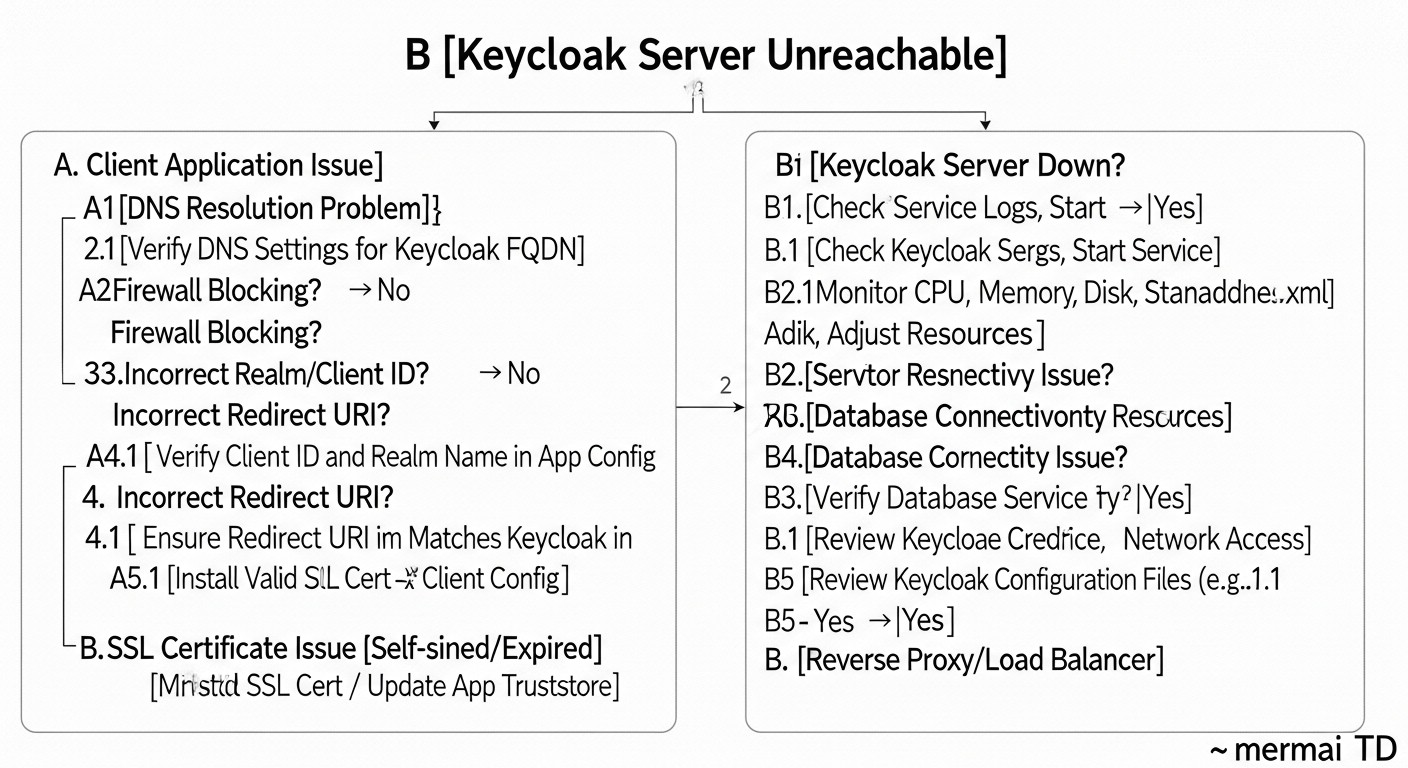 Diagram: Common Mistakes in Keycloak Implementation and Operation
Implementing a complex system like Keycloak inevitably comes with potential pitfalls. Knowing these challenges in advance can help avoid costly problems, wasted time, and security breaches. Here are at least five common mistakes teams encounter when working with Keycloak, along with recommendations for preventing them.
1. Using the Master Realm for Applications
Mistake: By default, Keycloak creates the Master realm, which is intended exclusively for Keycloak's own administration. Newcomers often create clients and users in this realm for their applications.
Consequences: Mixing administrative and application accounts creates a serious security threat. If application credentials in the Master realm are compromised, an attacker could potentially gain access to the Keycloak administrative console, which is equivalent to full control over the entire authentication system. This also complicates the management and isolation of different projects.
How to avoid: Always create a new realm for each of your projects or application groups (e.g., internal-services, saas-customer-portal). The Master realm should only be used for the Keycloak administrator account. For example, in the Keycloak Admin Console, in the top left corner, select "Add realm" and create a new one. Then switch to it for all subsequent client and user configurations.
2. Incorrect Reverse Proxy and SSL/TLS Configuration
Mistake: Running Keycloak without a reverse proxy (directly exposing ports 8080/8443) or incorrect configuration of X-Forwarded- headers when using a proxy.
Consequences:
- Security issues: Lack of SSL/TLS at the proxy level means sensitive data is transmitted in plain text. Directly exposing Keycloak ports without proper protection can lead to vulnerabilities.
- Incorrect redirects: Keycloak may generate links with HTTP instead of HTTPS or with an incorrect domain name, leading to authentication errors and non-functional OIDC flows.
- IP address issues: Keycloak will see the proxy's IP address instead of the client's real IP address, complicating auditing and attack prevention.
How to avoid:
- Always use Nginx, Apache, or another reverse proxy for SSL/TLS termination.
- Ensure that the
KC_PROXY: edge parameter is set in your Keycloak configuration (e.g., in docker-compose.yml).
- Correctly configure the
X-Forwarded-For, X-Forwarded-Proto, and Host headers in your reverse proxy, as shown in the "Practical Tips" section.
3. Using Implicit Flow for SPA/Mobile Applications
Mistake: Using the deprecated Implicit Flow for Single Page Applications (SPA) and mobile applications, especially without additional security measures.
Consequences: Tokens (Access Token, ID Token) are transmitted directly in the URL fragment, making them vulnerable to interception via XSS attacks, leakage in browser logs, or history. This is a serious security threat for public clients.
How to avoid: For all public clients (SPA, mobile, desktop applications), Authorization Code Flow with PKCE (Proof Key for Code Exchange) should be used. Keycloak fully supports this flow. When configuring a client in Keycloak, select Access type: public and PKCE Code Challenge Method: S256. Ensure that your OIDC client library also supports PKCE.
4. Insufficient Database Configuration or Lack of Backup
Mistake: Running Keycloak with the default H2 database in production or lacking regular backups of an external DB.
Consequences:
- Data loss: H2 is an embedded database intended only for development. It is not suitable for production and can lead to data loss upon container or server restart.
- Downtime: In case of server failure or data corruption without a backup, the entire authentication system will be unavailable, leading to downtime for all dependent services. Recovery without a backup is virtually impossible.
How to avoid:
- Always use an external, reliable database for production (PostgreSQL, MySQL).
- Set up regular, automatic backups of the Keycloak database. Use
pg_dump or similar tools.
- Verify the integrity of backups by periodically restoring them in a test environment.
5. Insufficient Monitoring and Logging
Mistake: Lack of centralized log collection and Keycloak performance monitoring.
Consequences:
- Diagnosis difficulties: When authentication or performance issues arise, without logs and metrics, it is very difficult to understand the cause and quickly resolve the malfunction.
- Missed security threats: Without monitoring suspicious activities (e.g., multiple failed login attempts, unusual IP addresses), you might miss hacking or compromise attempts.
- Scaling issues: Without data on load and performance, it is impossible to effectively plan the scaling of Keycloak infrastructure.
How to avoid:
- Configure Keycloak log collection (e.g., via Logstash, Fluentd) into a centralized system (ELK Stack, Grafana Loki).
- Use Prometheus and Grafana for collecting and visualizing Keycloak metrics (enable
KC_METRICS_ENABLED: "true"). Monitor CPU, RAM, I/O, number of active sessions, authentication latencies.
- Set up alerts for critical events (e.g., high percentage of authentication errors, availability drops).
By avoiding these common mistakes, you will significantly enhance the stability, security, and manageability of your Keycloak-based SSO system.
Keycloak Practical Application Checklist
This checklist will help you systematize the Keycloak implementation process, ensuring that you don't miss important steps and configurations. It is intended for DevOps engineers, system administrators, and technical directors looking to deploy a reliable SSO solution.
Stage 1: Planning and Preparation
- Requirements Definition:
- [ ] All internal and external services requiring SSO have been identified.
- [ ] The number of users (current and projected for 1-3 years) has been determined.
- [ ] Compliance requirements (GDPR, HIPAA, etc.) have been identified.
- [ ] MFA requirements (mandatory, optional, types) have been defined.
- [ ] User sources (LDAP, AD, existing DB, Keycloak-only) have been determined.
- Infrastructure Selection:
- [ ] Server type (VPS/Dedicated) and provider have been selected.
- [ ] Minimum CPU, RAM, Storage requirements for Keycloak and DB have been determined.
- [ ] OS distribution (e.g., Ubuntu 24.04 LTS) has been selected.
- [ ] External database has been selected (PostgreSQL is recommended).
- Network Configuration:
- [ ] A domain name for Keycloak has been registered (e.g.,
sso.yourcompany.com).
- [ ] DNS records (A/AAAA) have been configured.
- [ ] Necessary firewall ports have been opened (80, 443 for Nginx/proxy; 5432 for DB if remote).
Stage 2: Keycloak Deployment
- Server Preparation:
- [ ] OS has been updated to the latest version.
- [ ] Docker and Docker Compose have been installed.
- [ ] Nginx/Apache/Caddy has been installed for reverse proxy.
- Keycloak and DB Deployment:
- [ ]
docker-compose.yml for Keycloak and PostgreSQL has been created.
- [ ] An
.env file with strong passwords for the DB and Keycloak Admin has been created.
- [ ] SSL/TLS certificates for the Keycloak domain have been generated and obtained (e.g., via Certbot).
- [ ] Certificates have been mounted into the Keycloak container (or a proxy is used).
- [ ] Keycloak has been started via
docker compose up -d.
- Reverse Proxy Configuration:
- [ ] Nginx/Apache/Caddy has been configured as a reverse proxy for Keycloak (ports 80/443).
- [ ] Correct
X-Forwarded- and Host headers have been set in the proxy configuration.
- [ ] Keycloak accessibility via domain name over HTTPS has been verified.
Stage 3: Basic Keycloak Configuration
- Initial Login and Security:
- [ ] Logged into the Admin Console at
https://sso.yourcompany.com/admin.
- [ ] The Master realm administrator password has been changed to a very strong one.
- [ ] MFA has been enabled for the Master realm administrative account.
- Realm Creation:
- [ ] A new realm for applications has been created (e.g.,
my-company-realm). Do not use the Master realm!
- Realm Configuration:
- [ ] SMTP settings for email sending (password reset, confirmation) have been configured.
- [ ] Password policies (length, complexity, expiration) have been set.
- [ ] Session policies (lifetime, idle timeout) have been configured.
- User and Role Management:
- [ ] Test users have been created.
- [ ] Necessary realm and client roles have been created.
- [ ] Appropriate roles have been assigned to users.
- [ ] (Optional) User federation with LDAP/AD or other IdPs has been configured.
- Multi-Factor Authentication (MFA):
- [ ] Necessary MFA providers (TOTP, WebAuthn) have been configured.
- [ ] Mandatory MFA has been enabled and configured for specific user groups or all users.
Stage 4: Integration and Testing
- Client Registration:
- [ ] Each service has been registered as a client in Keycloak (
Clients -> Create client).
- [ ] The correct
Access type has been selected (confidential for backend, public with PKCE for SPA/mobile).
- [ ]
Valid Redirect URIs and Web Origins have been configured for each client.
- [ ]
Client Secret has been saved for confidential clients.
- Application Integration:
- [ ] Official adapters or reliable OIDC libraries are used for application integration.
- [ ] Applications have been configured to use Keycloak as an IdP.
- [ ] Login, logout, and token refresh processes have been implemented.
- Testing:
- [ ] All OIDC flows (login, logout, token refresh) have been tested.
- [ ] MFA functionality has been tested.
- [ ] Role and permission functionality has been tested.
- [ ] Logging and monitoring have been tested.
Stage 5: Operations and Support
- Monitoring:
- [ ] Keycloak log collection into a centralized system has been configured.
- [ ] Keycloak metrics monitoring (Prometheus/Grafana) has been configured.
- [ ] Alerts for critical events and performance thresholds have been set up.
- Backup and Recovery:
- [ ] Automatic daily backup of the Keycloak database has been configured.
- [ ] The backup recovery procedure has been tested in a test environment.
- Updates:
- [ ] A plan for regular updates of Keycloak and its components (OS, Docker) has been developed.
- [ ] The update procedure has been tested in a staging environment.
- Documentation:
- [ ] All configurations, procedures, and decisions have been documented.
- [ ] Instructions for onboarding new services/developers have been created.
By following this checklist, you will significantly increase the chances of a successful and secure Keycloak implementation in your infrastructure.
Cost Calculation / Keycloak Ownership Economics
 Diagram: Cost Calculation / Keycloak Ownership Economics
One of the key arguments for self-hosting Keycloak on VPS/Dedicated servers compared to cloud IDaaS providers (Auth0, Okta) is long-term cost savings. However, "free" open-source does not mean "cost-free." There are explicit and hidden costs that must be considered when calculating the Total Cost of Ownership (TCO) for Keycloak in 2026.
Keycloak Ownership Cost Components
1. Infrastructure Costs (Explicit)
These are the most obvious costs associated with server rental and network infrastructure.
- VPS/Dedicated Servers: Keycloak requires at least one, and for high availability, two or more servers. For production loads (up to 50-100 thousand active users), you will need:
- Minimum 2 Keycloak instances: each 4 vCPU, 8-16 GB RAM, 100-200 GB SSD.
- 1-2 PostgreSQL instances (or another DB): 4-8 vCPU, 16-32 GB RAM, 200-500 GB SSD (for data and logs).
- 1 Load Balancer/Reverse Proxy instance (Nginx, HAProxy).
Estimated VPS/Dedicated cost in 2026:
- Basic VPS (4vCPU/8GB RAM): 40-70 USD/month.
- Medium VPS (8vCPU/16GB RAM): 80-150 USD/month.
- Dedicated server (16-32vCPU/64-128GB RAM): 200-500 USD/month.
For a Keycloak cluster with an external DB and load balancer, the total monthly infrastructure cost can range from 150 to 800 USD/month, depending on the provider and required performance.
- Network Costs: Inbound traffic is usually free, outbound traffic may be charged (from 0.01 to 0.05 USD per GB). For an SSO system, traffic is usually not the main source of costs, unless there are massive file uploads via Keycloak (which should not be the case).
- SSL/TLS Certificates: Let's Encrypt provides free certificates. Paid certificates (EV, Wildcard) can cost from 50 to 500 USD/year.
2. Human Resources (Hidden, but Significant)
This is the largest "hidden" expense item, which is often underestimated.
- Implementation and Configuration: Time for a DevOps engineer or system architect for installation, basic configuration, integration with DB, reverse proxy, SSL, initial realm, client, and user configuration.
Estimate: 20-80 hours depending on complexity, which at a rate of 50-100 USD/hour amounts to 1000-8000 USD (one-time).
- Support and Maintenance: Regular updates for Keycloak, OS, DB, monitoring, backup, troubleshooting, performance optimization.
Estimate: 5-20 hours/month. At a rate of 50-100 USD/hour, this is 250-2000 USD/month.
- Development and Integration: Developer time for integrating applications with Keycloak (using OIDC libraries, adapters).
Estimate: 10-40 hours per application. At a rate of 50-100 USD/hour, this is 500-4000 USD per application (one-time).
- Training: Time spent learning Keycloak, OIDC, best practices.
3. Hidden Costs
- Downtime: In case of an SSO system failure, all dependent services will stop working. The cost of downtime can be enormous for a business. Proper planning for HA (High Availability) and backups minimizes this risk.
- Security: Time for security audits, vulnerability remediation, incident response. Although Keycloak itself is secure, improper configuration or infrastructure vulnerabilities can lead to problems.
- Compliance: Time for configuring and maintaining compliance with regulatory requirements.
Cost Calculation Examples for Different Scenarios (2026)
Assuming an average engineer rate of 75 USD/hour.
Scenario 1: Small Startup (up to 5,000 MAU)
- Infrastructure: 2 VPS (1 Keycloak, 1 PostgreSQL/Nginx) = ~120 USD/month.
- Implementation (DevOps): 40 hours * 75 USD = 3000 USD (one-time).
- Support (DevOps): 5 hours/month * 75 USD = 375 USD/month.
- Integration (2 applications): 2 * 20 hours * 75 USD = 3000 USD (one-time).
TOTAL (first year): 3000 (implementation) + 3000 (integration) + (120 + 375) * 12 (infra + support) = 6000 + 5940 = ~11,940 USD
TOTAL (subsequent years): 5940 USD/year
Scenario 2: Medium SaaS Project (50,000 MAU)
- Infrastructure (HA): 3-4 VPS (2 Keycloak, 1-2 PostgreSQL, 1 Load Balancer) = ~400 USD/month.
- Implementation (DevOps/Architect): 80 hours * 75 USD = 6000 USD (one-time).
- Support (DevOps): 15 hours/month * 75 USD = 1125 USD/month.
- Integration (5 applications): 5 * 30 hours * 75 USD = 11,250 USD (one-time).
TOTAL (first year): 6000 + 11250 + (400 + 1125) * 12 = 17250 + 18300 = ~35,550 USD
TOTAL (subsequent years): 18300 USD/year
Comparative Cost Table (Annual)
| Metric |
Keycloak (Self-Hosted, 5k MAU) |
Auth0 (Cloud IDaaS, 5k MAU) |
Keycloak (Self-Hosted, 50k MAU) |
Auth0 (Cloud IDaaS, 50k MAU) |
| Infrastructure |
~1440 USD |
0 USD |
~4800 USD |
0 USD |
| License/SaaS |
0 USD |
~3000 USD (Developer Pro, 5k MAU) |
0 USD |
~18000 USD (Enterprise, 50k MAU) |
| Implementation (1st year) |
~6000 USD |
~1500 USD (less, as SaaS) |
~17250 USD |
~5000 USD (less, as SaaS) |
| Support/Ops |
~4500 USD |
~1000 USD (less, as SaaS) |
~13500 USD |
~3000 USD (less, as SaaS) |
| TOTAL (1st year) |
~11940 USD |
~5500 USD |
~35550 USD |
~26000 USD |
| TOTAL (subsequent years) |
~5940 USD |
~4000 USD |
~18300 USD |
~21000 USD |
(Auth0 prices are approximate, based on public data, and can vary significantly in the Enterprise segment, where individual discounts and rates are often applied. Basic estimates are used here.)
How to Optimize Costs
- Deployment Automation: Use IaC (Terraform, Ansible) to automate the deployment of Keycloak and its infrastructure. This will reduce implementation and support costs.
- Containerization and Orchestration: Deploying in Kubernetes allows for more efficient resource utilization and simplifies scaling.
- Database Optimization: Proper PostgreSQL configuration (indexes, caching) can significantly improve performance and reduce resource requirements.
- Team Training: Investing in Keycloak engineer training will reduce reliance on external consultants and increase the efficiency of internal support.
- Monitoring and Proactive Maintenance: Early problem detection will prevent costly downtime.
- Choosing a VPS/Dedicated Provider: Compare offers from different providers, but do not compromise on quality and reliability.
While Keycloak may seem more expensive in the first year for small projects due to initial labor investments, its TCO becomes significantly more favorable for larger user volumes and in the long term (after 2-3 years), especially for SaaS projects with a growing audience. Furthermore, full control over data and security is often an invaluable advantage that cannot be quantified in monetary terms.
Keycloak Use Cases and Examples
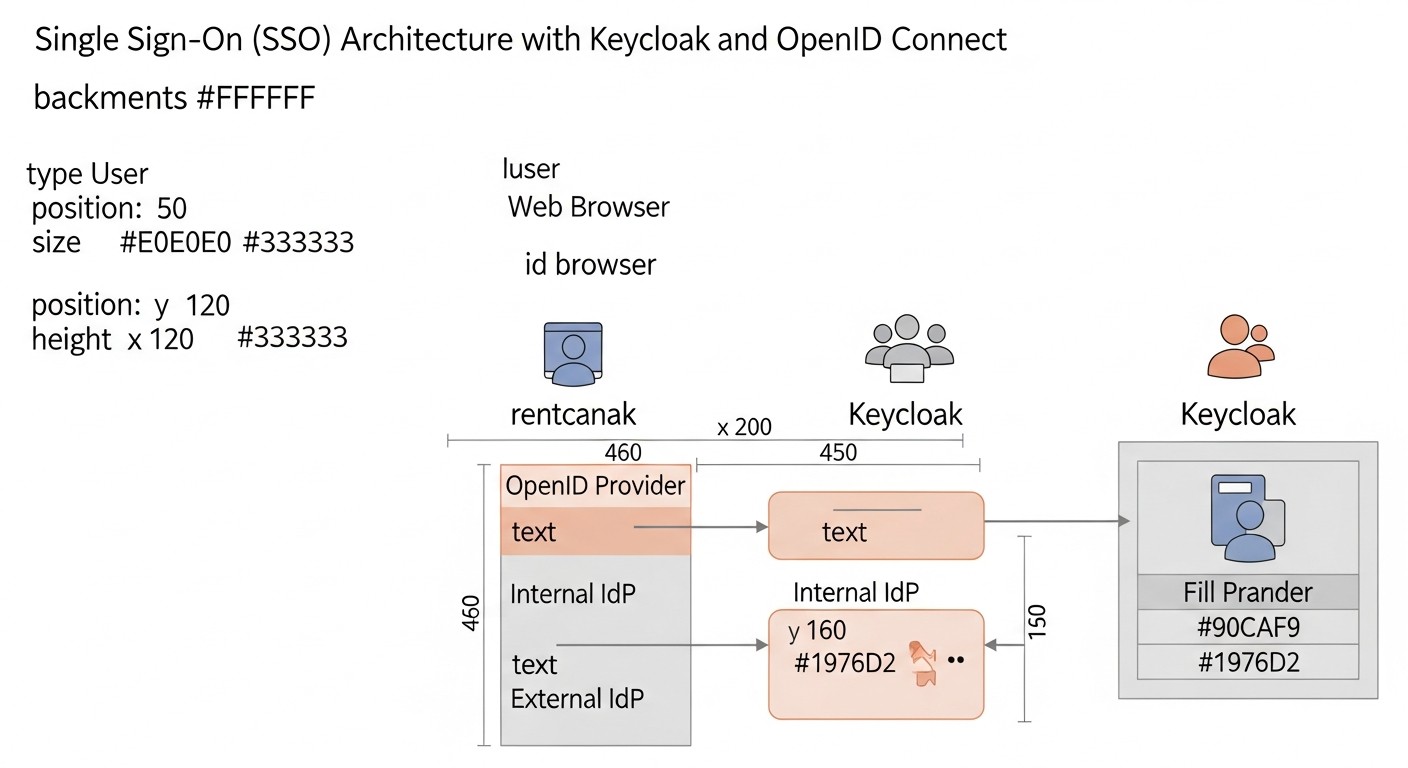 Diagram: Keycloak Use Cases and Examples
Keycloak is a versatile solution that can be adapted for a wide range of scenarios. Below are two realistic examples of Keycloak usage, demonstrating its flexibility and benefits for various types of organizations.
Case Study 1: SaaS Startup with Internal and External Services
Company: "CloudFlow", a rapidly growing SaaS startup providing a platform for cloud infrastructure automation. They have a web application for clients, an administrative panel for employees, and several internal microservices used by developers.
Problem:
- For Clients: Each client service (main application, support portal, billing) has its own authentication system, leading to "password fatigue" and increasing the number of support requests for password resets.
- For Employees: Developers and DevOps engineers use GitLab, Jira, Grafana, internal control panels, and test environments, each requiring a separate login. Access management for these systems is fragmented and labor-intensive.
- Security: Lack of centralized MFA. Risk of credential leakage due to the use of weak or repeated passwords.
- Scalability: As the client base and number of employees grow, identity management becomes uncontrollable.
Solution with Keycloak:
CloudFlow deployed a Keycloak cluster on its dedicated servers (VPS), using PostgreSQL as the database and Nginx as a reverse proxy with SSL termination.
- Two Realms:
cloudflow-customers: For all external client services.cloudflow-internal: For internal tools and employees.
- Integration with Client Services (
cloudflow-customers realm):
- The main web application (React SPA + Node.js API) uses Authorization Code Flow with PKCE. The SPA obtains tokens from Keycloak, and the Node.js API verifies their validity.
- The support portal (Zendesk) and billing system (Stripe Billing Portal) are integrated via SAML 2.0 (Keycloak acts as an IdP).
- Social authentication (Google, GitHub) is configured for client convenience.
- Mandatory MFA (TOTP) is enabled for all clients.
- Keycloak login page branding to match CloudFlow's corporate style.
- Integration with Internal Services (
cloudflow-internal realm):
- GitLab, Jira, Confluence, Grafana, Prometheus are integrated via OpenID Connect or SAML 2.0 (depending on supported protocols).
- Internal microservices (Go, Python) use Keycloak adapters for OIDC, protecting their APIs.
- User federation with the company's existing LDAP server is configured.
- Mandatory MFA (WebAuthn/FIDO2) is enabled for all employees.
- Fine-grained authorization is implemented using Keycloak client roles, e.g.,
devops role in Grafana, admin in Jira.
- Monitoring and Security:
- Keycloak logs are collected into a centralized ELK system.
- Keycloak metrics are monitored via Prometheus and Grafana.
- Alerts are configured for suspicious activity (numerous failed login attempts, unusual locations).
Results:
- Improved UX: Clients and employees log into all services once.
- Enhanced Security: Centralized MFA and strict password policies.
- Reduced Operational Costs: Decreased support load, simplified user and access management.
- Scalability: The system easily handles growth in users and services.
- Full Control: CloudFlow retains full control over user data and infrastructure, which is important for compliance.
Case Study 2: Large Enterprise with Legacy Systems and New Microservices
Company: "GlobalCorp", a large financial organization with a long history, possessing an extensive set of outdated (legacy) applications and actively developing new microservices.
Problem:
- Legacy Systems: Dozens of old applications using NTLM, Kerberos, or proprietary LDAP/AD-based authentication. It's impossible to rewrite everything at once.
- Microservices: New services in Go and Java require modern, secure authentication and authorization.
- Management Complexity: Managing thousands of employees and their access to hundreds of applications is a nightmare for system administrators.
- Compliance: Strict regulatory requirements for auditing, access control, and data storage.
- Inconsistent UX: Different login mechanisms for different applications.
Solution with Keycloak:
GlobalCorp deployed a highly available Keycloak cluster in its private cloud/dedicated environment, integrating it with existing infrastructure.
- Single Source of Truth: Keycloak was configured as an identity broker, federated with the existing Active Directory. All GlobalCorp users continue to authenticate via AD, but Keycloak acts as an intermediary, providing modern protocols for applications.
- Integration with Legacy Systems:
- For applications supporting SAML 2.0, Keycloak acts as an IdP.
- For applications using Kerberos, Keycloak integration with the AD KDC (Key Distribution Center) is configured.
- For the oldest applications that cannot be directly integrated, a specialized proxy server (e.g., Mod_Auth_OpenIDC for Apache) is used, which intercepts requests, authenticates the user via Keycloak, and then passes the authenticated data to the legacy application.
- Integration with New Microservices:
- All new microservices in Go and Java use OpenID Connect with Authorization Code Flow for authentication and OAuth 2.0 for authorization.
- For API Gateways, Keycloak token validation is used to protect all incoming requests.
- Role- and policy-based authorization is implemented using Keycloak Authorization Services for fine-grained access control to microservice resources.
- Security Enhancement:
- Mandatory MFA (using YubiKey hardware tokens and WebAuthn) is enabled for all employees.
- Adaptive authentication policies are configured, requiring additional verification when logging in from unfamiliar devices or suspicious locations.
- All authentication and authorization events are logged into the company's SIEM system for auditing and compliance with regulatory requirements.
Results:
- Centralized Management: A single point of access management for all applications, significantly simplifying administrators' work.
- Enhanced Security: Modern protocols, MFA, and detailed auditing ensure a high level of data protection.
- Gradual Modernization: Ability to integrate both new and old systems without the need for a complete overhaul of legacy code.
- Improved UX: Single sign-on for most systems.
- Full Compliance: GlobalCorp fully controls its data and can demonstrate compliance with all regulatory requirements.
These case studies demonstrate that Keycloak can be successfully applied in both dynamic startups and conservative enterprises, providing flexibility, security, and control over identity and access.
Troubleshooting: Resolving Common Keycloak Issues
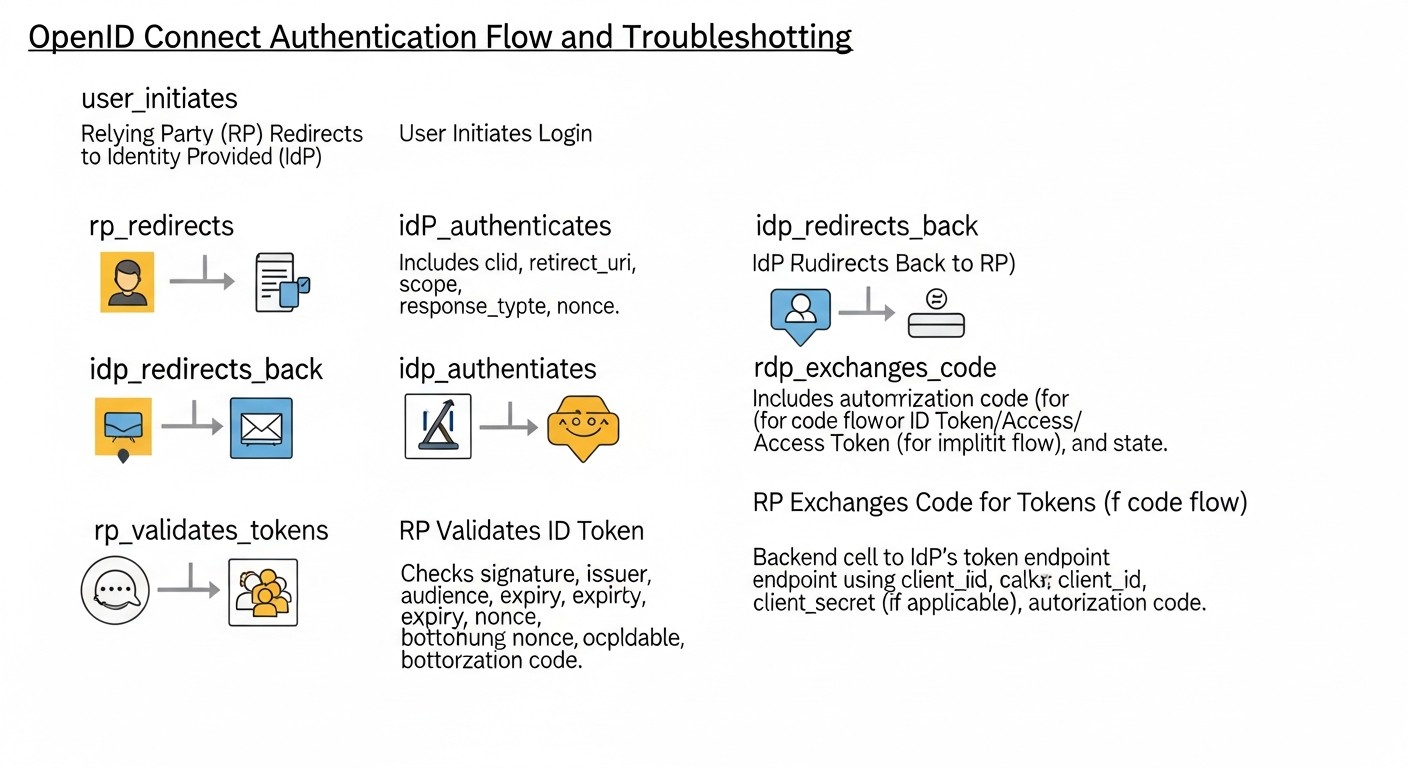 Diagram: Troubleshooting: Resolving Common Keycloak Issues
Even with the most careful planning and implementation, issues can arise when working with Keycloak. Knowing common errors and how to diagnose them will significantly reduce downtime and frustration. This section is dedicated to common problems and methods for their resolution.
1. Issues with Admin Console Access or Redirect Errors
Symptoms: Unable to access /admin, cyclical redirects, "Invalid redirect URI", "Not found" errors.
Possible causes and solutions:
- Incorrect Reverse Proxy Configuration (Nginx/Apache):
- Check the headers
X-Forwarded-For, X-Forwarded-Proto, Host. They are critical for Keycloak to correctly generate links. Ensure that proxy_set_header are configured correctly in Nginx.
- Ensure Keycloak sees HTTPS. In
docker-compose.yml for Keycloak, KC_PROXY: edge should be present.
- Verify that Nginx is listening on ports 80/443 and redirecting to the correct internal Keycloak port (usually 8080).
- Incorrect
KC_HOSTNAME: In Keycloak Docker Compose, ensure that KC_HOSTNAME is set to your domain name (e.g., your.keycloak.domain.com) and KC_HOSTNAME_STRICT: "true".
- SSL/TLS Certificate Issues:
- Ensure that certificates in Nginx are up-to-date and correctly configured.
- If Keycloak itself terminates SSL (without a proxy), verify that certificates are mounted and Keycloak is started with the flags
--https-certificate-file and --https-certificate-key-file.
- Firewall: Ensure that ports 80 and 443 are open on your VPS.
Diagnostic commands:
# Check Nginx logs
sudo tail -f /var/log/nginx/error.log
sudo tail -f /var/log/nginx/access.log

# Check Keycloak logs (if in Docker)
docker compose logs keycloak -f

# Check port availability
sudo ss -tuln | grep 8080
2. Client (Application) Authentication Errors
Symptoms: "Invalid client credentials", "Invalid redirect URI", "Invalid scope", "Access Denied".
Possible causes and solutions:
- Incorrect Client ID or Client Secret:
- Double-check
Client ID and Client Secret in your application and in Keycloak client settings. Copy them without extra spaces.
- For public clients (SPA), there should be no
Client Secret.
- Invalid Valid Redirect URI:
- This is the most common error. The list of
Valid Redirect URIs in Keycloak client settings must EXACTLY match the URI that your application sends to Keycloak. Including protocol (HTTP/HTTPS), domain, port, and path.
- For example, if your application sends
http://localhost:3000/callback, then exactly that URI must be in Keycloak.
- Incorrect Web Origins: For SPA applications, if CORS errors occur, ensure that
Web Origins in Keycloak includes your SPA's domain.
- Invalid Scope: Ensure that the requested
scope (e.g., openid profile email) are allowed for the client and correctly specified in the request.
- PKCE Issues: If using PKCE, ensure that
code_challenge_method (S256) and code_verifier are correctly generated and used by the client library.
Diagnostic commands/methods:
- Keycloak Logs: Carefully examine Keycloak logs (
docker compose logs keycloak -f) — it usually provides detailed authentication error messages.
- Browser Developer Tools: Check the "Network" tab for redirects and errors.
- JWT.io: Decode the received tokens to ensure they contain the expected data and have not expired.
3. Performance and Scaling Issues
Symptoms: Slow login, long response times from Keycloak, high CPU/RAM usage.
Possible causes and solutions:
- Insufficient Resources:
- Increase CPU and RAM for Keycloak and database containers.
- Check disk I/O performance, especially for the database.
- Unoptimized Database:
- Slow DB queries: Check DB logs for slow queries. Ensure that Keycloak tables have the necessary indexes (Keycloak creates them automatically, but custom queries can be an issue).
- Insufficient DB cache: Increase caching settings for PostgreSQL.
- Lack of Clustering: For high loads, Keycloak should run in a cluster (multiple Keycloak instances behind a load balancer).
- Ensure Keycloak is configured for clustering (e.g., via JGroups, if not in Kubernetes).
- Use an external cache (Infinispan, Redis) for sessions and tokens.
- Keycloak Caching Issues: Check caching settings in Keycloak. Incorrect configuration can lead to frequent database access.
Diagnostic commands/methods:
- Metrics Monitoring: Use Prometheus and Grafana to track CPU, RAM, I/O, request count, and response times of Keycloak and the DB.
- Keycloak Logs: Look for performance warnings or errors.
- DB Monitoring: Use PostgreSQL monitoring tools to analyze query performance.
4. User Federation Issues (LDAP/AD)
Symptoms: Users from LDAP/AD cannot log in, are not visible in Keycloak.
Possible causes and solutions:
- Incorrect LDAP/AD Connection Settings:
- Host, port, DN, password: Check all LDAP/AD connection parameters in Keycloak (User Federation -> Add User Federation).
- Base DN: Ensure that
Base DN is specified correctly and includes all target users.
- Filter: Check user and group search filters.
- Network Access Issues: Ensure that Keycloak can connect to the LDAP/AD server on the specified port (usually 389 or 636 for LDAPS).
- Attribute Mapping: Ensure that LDAP/AD attributes are correctly mapped to Keycloak user attributes (e.g.,
sAMAccountName to username, mail to email).
Diagnostic commands/methods:
- Keycloak Logs: Error messages regarding LDAP/AD connection or synchronization will be visible in the logs.
ldapsearch: Use ldapsearch from the Keycloak server to check LDAP/AD connection and search for users.
# Example ldapsearch
ldapsearch -x -H ldap://your.ad.server:389 -D "cn=binduser,dc=example,dc=com" -w "bindpassword" -b "dc=example,dc=com" "(sAMAccountName=testuser)"
When to Seek Support
Since Keycloak is an open-source product, "support" usually refers to the community or commercial offerings from companies specializing in Keycloak (e.g., Red Hat). Seek support if:
- You have exhausted all self-diagnosis options and searches in documentation/forums.
- The problem is related to deep internal Keycloak mechanisms that require expertise in Java/WildFly.
- The cost of downtime exceeds the cost of an expert consultation.
- You need assistance with high-availability cluster deployment or specific integrations.
Proactive planning, careful adherence to documentation, and active use of monitoring tools will help minimize problems and resolve them effectively.
FAQ: Frequently Asked Questions about Keycloak and OIDC
1. What is a realm in Keycloak and why is it needed?
A Realm in Keycloak is an isolated space that manages a set of users, applications (clients), and authentication/authorization settings. It acts as a separate identity provider. Each realm has its own policies, themes, identity providers, and user database. This allows a single Keycloak instance to serve multiple independent organizations or projects, ensuring complete isolation of their data and configurations. For example, one realm for internal employees, another for external SaaS product clients.
2. Can Keycloak be used for mobile application authentication?
Yes, Keycloak is ideally suited for mobile application authentication. It uses the OpenID Connect Authorization Code Flow with PKCE (Proof Key for Code Exchange), which provides a high level of security by preventing token interception. Keycloak also supports various MFA mechanisms, which is critically important for protecting mobile users.
3. How does Keycloak provide multi-factor authentication (MFA)?
Keycloak provides a flexible MFA system. It supports various methods such as TOTP (Time-based One-Time Password, e.g., Google Authenticator), WebAuthn (FIDO2 for passwordless login and second factor), SMS/Email OTP (through integration with third-party services). Administrators can configure MFA as mandatory for the entire realm, for specific user groups, or for specific actions, using customizable authentication flows.
4. What is the difference between OpenID Connect and OAuth 2.0?
OAuth 2.0 is an authorization protocol that allows an application to obtain limited access to a user's protected resources without revealing their credentials. OpenID Connect (OIDC) is an identity protocol built on top of OAuth 2.0. OIDC adds to OAuth 2.0 the ability to verify the end-user's identity and obtain basic profile information (via ID Token and UserInfo Endpoint). Simply put, OAuth 2.0 answers the question "What can you do?", while OIDC answers "Who are you?".
5. Can Keycloak be integrated with existing Active Directory or LDAP?
Yes, Keycloak has built-in support for user federation with Active Directory and LDAP servers. This allows existing user accounts from AD/LDAP to be used for authentication through Keycloak. Keycloak can synchronize users, groups, and attributes, and also act as a "broker," proxying authentication requests to external directories.
6. How to ensure High Availability (HA) for Keycloak on VPS/Dedicated?
To ensure HA, Keycloak should be deployed in a cluster of multiple instances operating behind a load balancer (e.g., Nginx, HAProxy). Each Keycloak instance must use a shared external database (e.g., PostgreSQL) and a shared cache (e.g., Infinispan Cache Store or Redis). The database must also be configured for HA (replication, fault tolerance). Using Kubernetes significantly simplifies the deployment and management of a Keycloak HA cluster.
7. Can I customize the appearance of Keycloak login pages?
Yes, Keycloak provides extensive capabilities for customizing the themes (branding) of login, registration, password reset, and other user interface pages. You can create your own themes by modifying HTML, CSS, and JavaScript to match your company's brand identity. This is done by uploading custom themes to Keycloak or editing existing ones.
8. How secure is Keycloak?
Keycloak is designed with security in mind and is actively supported by Red Hat and the community. It implements all major security standards (OIDC, OAuth 2.0, SAML 2.0), supports MFA, role-based authorization, data encryption, and protection against XSS/CSRF attacks. However, the overall security of the system heavily depends on the correct configuration of Keycloak, the security of the underlying infrastructure (OS, network, DB), and proper integration with client applications. Regular updates and security audits are critically important.
9. What is a Client Secret and when should it be used?
A Client Secret is a confidential key used to authenticate a client (application) with the authorization server (Keycloak) when exchanging an authorization code for tokens. It is necessary for "confidential" clients, i.e., server-side applications that can securely store this secret (e.g., backend services, traditional web applications). For "public" clients (SPA, mobile applications) that cannot securely store the secret, the Authorization Code Flow with PKCE is used.
10. How is Keycloak updated?
Updating Keycloak typically involves updating the Docker image to a new version. It is important to first test the update in a staging environment. Before updating, it is recommended to back up the database. Keycloak usually automatically migrates the DB schema when a new version is launched, but this should always be verified. For clustered deployments, a rolling update of instances is required.
Conclusion: Your Path to Secure and Efficient SSO
In the world of 2026, where digitalization has permeated all aspects of business and cyber threats are becoming increasingly sophisticated, implementing a Single Sign-On (SSO) system has ceased to be merely "good practice" and has become an absolute necessity. As this article has shown, Keycloak, in conjunction with the OpenID Connect protocol, represents a powerful, flexible, and cost-effective solution for building such a system on your own VPS or Dedicated server infrastructure.
We have thoroughly examined why SSO is so important for DevOps engineers, backend developers, SaaS project founders, system administrators, and startup CTOs. From enhanced security and improved user experience to optimized operational costs and ensuring full data control, the benefits of Keycloak are numerous and significant. The comparison table showed that while Keycloak requires a larger initial investment in expertise and deployment, its long-term total cost of ownership is often significantly lower than that of proprietary cloud IDaaS providers, especially as your project grows.
Practical tips and a checklist provided a step-by-step guide for installing, configuring, and integrating Keycloak, along with recommendations for ensuring its security and high availability. We analyzed common mistakes to help you avoid typical pitfalls and explored real-world use cases demonstrating Keycloak's versatility for various scenarios – from dynamic startups to large enterprises with legacy systems. The overview of tools and resources, as well as the Troubleshooting section, equipped you with everything necessary for successful operation.
Final Recommendations:
- Start small, but correctly: Even if you begin with a single VPS, immediately lay down an architecture that allows for scalability and high availability. Use Docker Compose for simplicity, but be ready for Kubernetes.
- Security above all: Always use HTTPS, strong passwords, MFA for administrators, and Authorization Code Flow with PKCE for public clients. Regularly update Keycloak.
- Don't skimp on monitoring and backups: These investments will pay off at the first emergency.
- Invest in knowledge: Keycloak is a powerful but complex tool. Time spent studying its documentation and best practices will pay off many times over.
- Use realms: Never use the Master realm for your applications. Create separate realms for each logically isolated set of services or users.
Next steps for the reader:
- Conduct a pilot project: Deploy Keycloak on a test VPS using the
docker-compose.yml from this article, and integrate it with one of your internal services.
- Study the documentation: Dive deep into the official Keycloak documentation, especially sections related to the protocols and flows that interest you.
- Join the community: Actively participate in Keycloak forums and groups to learn from others' experiences and share your own.
- Automate: Once you master the basic settings, start automating Keycloak deployment and configuration using
kcadm.sh, Ansible, or Terraform.
Implementing Keycloak is not just about installing new software; it's about building a foundation for secure and efficient identity and access management in your company. It's an investment that will yield dividends in the form of improved security, increased team productivity, and satisfied users. Good luck on your journey to a unified authentication system!
Was this guide helpful?
Single Sign-On (SSO) system for internal and external services on VPS/dedicated: Keycloak and OpenID Connect